

What Is an Amazon Price Tracker Extension?
An Amazon price tracker extension is a browser add-on that monitors product prices on Amazon and shows you historical pricing data. Instead of checking prices manually every day, these extensions do the work for you—displaying price history charts, sending alerts when prices drop, and helping you decide if a deal is actually worth it.
According to The Selling Guys, Amazon changes prices on millions of products daily, making it nearly impossible to track manually. A good price tracker extension gives you the information you need to make smarter buying decisions.
In this guide, we'll cover the three most popular Amazon price tracker Chrome extensions, walk you through setup for each one, and show you how to go beyond just tracking—to actually getting money back on purchases you've already made.
The 3 Best Amazon Price Tracker Chrome Extensions
Here's a quick comparison of the top options available in 2026:
| Feature | Keepa | CamelCamelCamel | Honey |
|---|---|---|---|
| Price History Charts | Detailed (5B+ products) | Simple & Clean | Basic |
| Price Drop Alerts | Email, Browser, Telegram | Email only | Browser notification |
| Browser Support | Chrome, Firefox, Edge, Safari, Opera | Chrome, Firefox, Edge, Safari, Opera | Chrome, Firefox, Edge, Safari, Opera |
| Amazon Marketplaces | 11 countries | 8 countries | US focused |
| Coupon Finder | No | No | Yes (30,000+ sites) |
| Price | Free (Premium $19/mo) | 100% Free | Free |
| Best For | Power users & sellers | Casual shoppers | Coupon hunters |
1. Keepa: The Most Powerful Amazon Price Tracker
Keepa is the gold standard for Amazon price tracking. With over 4 million Chrome users and a 4.7/5 rating, it's the most feature-rich option available. According to Octoparse, Keepa tracks price history for over 5 billion Amazon products across 11 international marketplaces.
Key Keepa Features
- Detailed price history charts embedded directly on Amazon product pages
- Multiple alert channels: email, browser notifications, and Telegram
- International price comparison across .com, .co.uk, .de, .co.jp, .fr, .ca, .it, .es, .in, and .mx
- Lightning deal tracking to catch time-sensitive sales
- Sales rank history (premium feature) for sellers
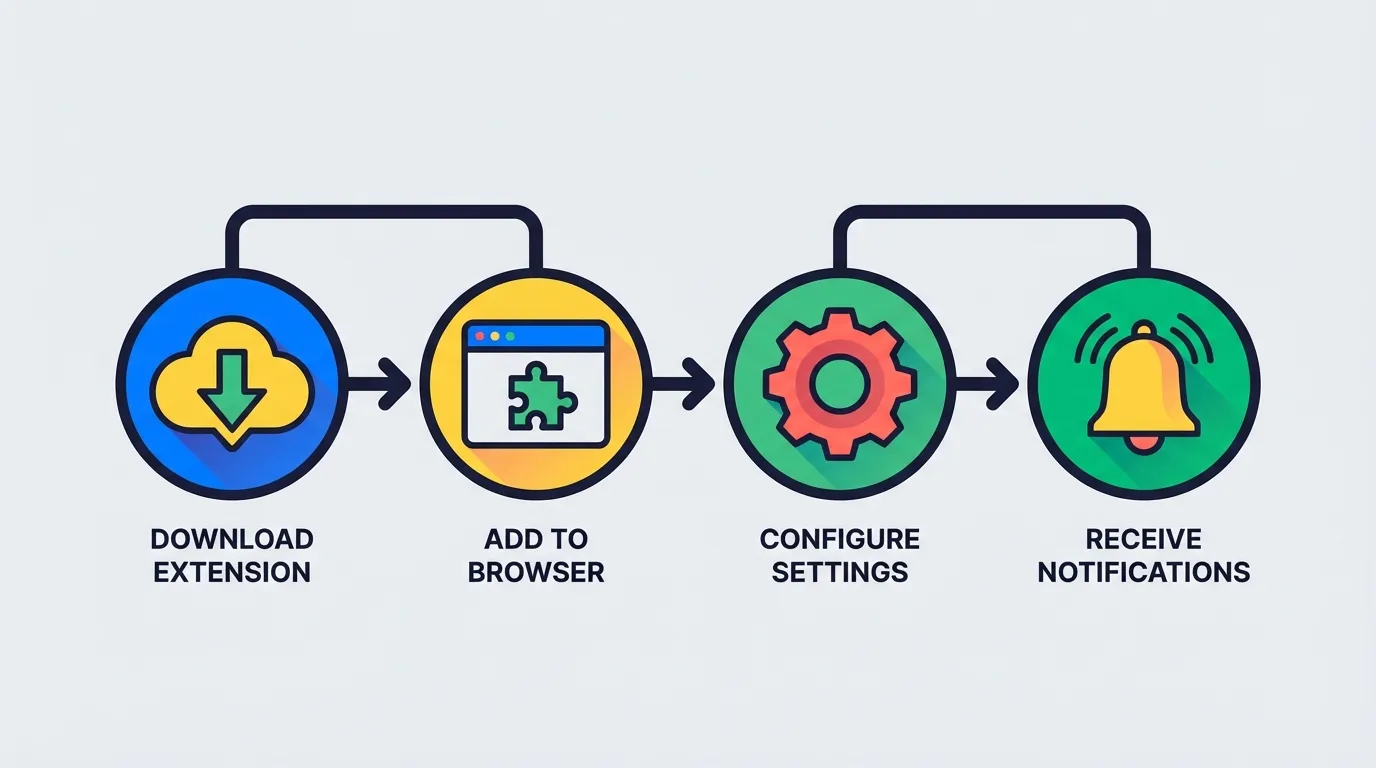
How to Install and Set Up Keepa
- Visit the Chrome Web Store Keepa page
- Click "Add to Chrome" and confirm the installation
- Navigate to any Amazon product page—the Keepa chart appears automatically below the product images
- Click on the chart to expand it and see detailed price history
- To set an alert: Click "Track product" on the chart, enter your desired price, and choose your notification method
- Create a free Keepa account to sync your tracking list across devices
Pro tip: The free version covers most needs. Only upgrade to premium ($19/month) if you need sales rank data or the Product Finder feature for Amazon selling.
For more details, check out our complete Keepa extension guide.
2. CamelCamelCamel: Free and Simple
CamelCamelCamel (also known as "The Camelizer") has been tracking Amazon prices since 2008. It's the original Amazon price tracker and remains one of the most trusted tools available. The best part? It's completely free with no premium tier.
Key CamelCamelCamel Features
- Clean, easy-to-read charts showing Amazon, third-party new, and third-party used prices
- No installation required—you can just paste an Amazon URL on their website
- Email price drop alerts when products hit your target price
- Watchlist feature to track multiple products at once
- Browser extension for quick access from Amazon product pages
How to Install and Set Up CamelCamelCamel
- Go to CamelCamelCamel Tools and click on "The Camelizer" for your browser
- Install the extension from your browser's extension store
- Create a free account at camelcamelcamel.com (required for alerts)
- Visit any Amazon product page and click the Camelizer icon in your browser toolbar
- The extension shows the current price status and a link to the full price history
- Set your target price and click "Start Watching" to enable email alerts
Pro tip: CamelCamelCamel works best for casual shoppers who just want to verify if a deal is real. It's simpler than Keepa but lacks some advanced features.
Learn more in our Keepa vs CamelCamelCamel vs Honey comparison.
3. Honey: Price Tracking + Coupon Codes
Honey is best known for automatically finding and applying coupon codes at checkout, but it also offers basic price tracking features through its "Droplist" feature.
Key Honey Features
- Droplist price tracking for Amazon, Target, Walmart, and other retailers
- Automatic coupon code application at checkout on 30,000+ sites
- Price history display on Amazon product pages
- Honey Gold rewards for making purchases through Honey
How to Install and Set Up Honey
- Visit joinhoney.com and click "Add to Chrome"
- Create a free Honey account
- On any Amazon product page, look for the Honey popup showing price history
- Click "Add to Droplist" to track the product
- Honey will notify you when the price drops
- At checkout, Honey automatically searches for and applies coupon codes
Pro tip: Honey's price tracking is less detailed than Keepa or CamelCamelCamel. Use it primarily for coupons, and pair it with a dedicated price tracker for serious price monitoring.
The Problem with Traditional Price Trackers
Here's what Keepa, CamelCamelCamel, and Honey all have in common: they're great at helping you find deals on things you haven't bought yet.
But what about products you've already purchased?
Consider this scenario:
- You buy a new monitor for $350
- Three days later, it drops to $280
- Your price tracker sends you an alert (thanks, but too late)
- You've lost $70... unless you manually contact Amazon customer service
The truth is, Amazon often issues courtesy credits when you politely ask about a price drop after purchase. It's not an official policy, but it happens—we've seen it work thousands of times. The problem? Most people don't know this is possible, and even if they do, who has time to monitor every order and negotiate with customer service?
TaskMonkey: The Price Tracker That Gets Your Money Back
This is exactly why we built TaskMonkey. Instead of just tracking prices for future purchases, TaskMonkey focuses on getting money back for things you've already bought.
Here's how it works:
- Install the free Chrome extension from TaskMonkey.ai
- Click "Start Saving Now" on your dashboard
- TaskMonkey automatically scans your last 3 months of Amazon orders
- It compares what you paid vs. current prices
- For any price drops, AI automatically chats with Amazon customer service
- You receive courtesy credits or refunds directly to your Amazon account
The entire process is automated. You literally click a button, go do something else, and come back to find money in your account.
TaskMonkey only charges when we successfully recover money for you—20% of what we get back. If we don't save you anything, you pay nothing. The average user recovers over $200 per year.
Which Extension Should You Use?
Here's our recommendation based on what you need:
| Your Goal | Best Extension |
|---|---|
| Detailed price research before buying | Keepa |
| Simple free price checking | CamelCamelCamel |
| Coupons + light price tracking | Honey |
| Get refunds on past purchases | TaskMonkey |
The smart approach? Use Keepa or CamelCamelCamel for future purchases, and use TaskMonkey to recover money on things you've already bought. They work perfectly together.
Frequently Asked Questions
Are Amazon price tracker extensions safe to use?
Yes, reputable extensions like Keepa and CamelCamelCamel have been trusted by millions of users for years. They only request access to Amazon domains and their own servers. Check out our article on whether Keepa is safe for detailed security analysis.
Which Amazon price tracker is best for mobile?
Keepa offers dedicated apps for both Android and iOS with full price tracking functionality. CamelCamelCamel works through mobile browsers. See our guide to the best Amazon price tracker apps.
Can I use multiple price tracker extensions at once?
Yes, but it's usually unnecessary and may slow down your browser. Pick one main tracker (Keepa or CamelCamelCamel) and add TaskMonkey separately for refund recovery—they serve different purposes.
How do I read a Keepa price chart?
Keepa charts show multiple lines: orange for Amazon price, blue for third-party new, and black for third-party used. The higher the line, the higher the price at that time. We explain this in detail in our guide on how to read Keepa charts.
Does Amazon allow price tracker extensions?
Yes, using price tracker extensions is completely allowed and doesn't violate Amazon's terms of service. Millions of shoppers use them daily without any issues.
Start Tracking Prices Today
Setting up an Amazon price tracker takes less than 5 minutes and can save you hundreds of dollars per year. Here's what we recommend:
- Install Keepa or CamelCamelCamel to track prices on future purchases
- Set price alerts for items on your wishlist
- Install TaskMonkey to automatically recover money on past purchases
- Run a scan on your Amazon order history—you might be surprised how much money you're owed
The best time to start tracking prices was before your last purchase. The second best time is right now.