
The Hidden Money Amazon Owes You
Here's something most Amazon shoppers don't realize: the items you bought last week, last month, or even three months ago may have dropped in price—and you could be entitled to get that money back.
According to Profitero's pricing analysis, Amazon changes prices on millions of products up to 2.5 million times daily. That's roughly 8% of Amazon's entire catalog experiencing price fluctuations every single day.
Think about your last few Amazon purchases. That $500 TV? It might be $420 today. Those $80 headphones? Possibly $59 now. The problem is: Amazon will never tell you about these price drops. You'd have to manually check every single order, compare prices, and then contact customer service to request a refund.
Who has time for that?
Does Amazon Actually Give Refunds for Price Drops?
Let's address the elephant in the room: Does Amazon even offer price adjustments after you've purchased?
The official answer is no. According to Amazon's official return policy, they don't have a general post-purchase price adjustment program. If you ask directly, customer service will often say "We don't do price matching."
But here's what Amazon won't advertise: Customer service agents have the discretion to issue courtesy credits when you politely request a price adjustment. This isn't an official policy—it's an unofficial but very real practice.
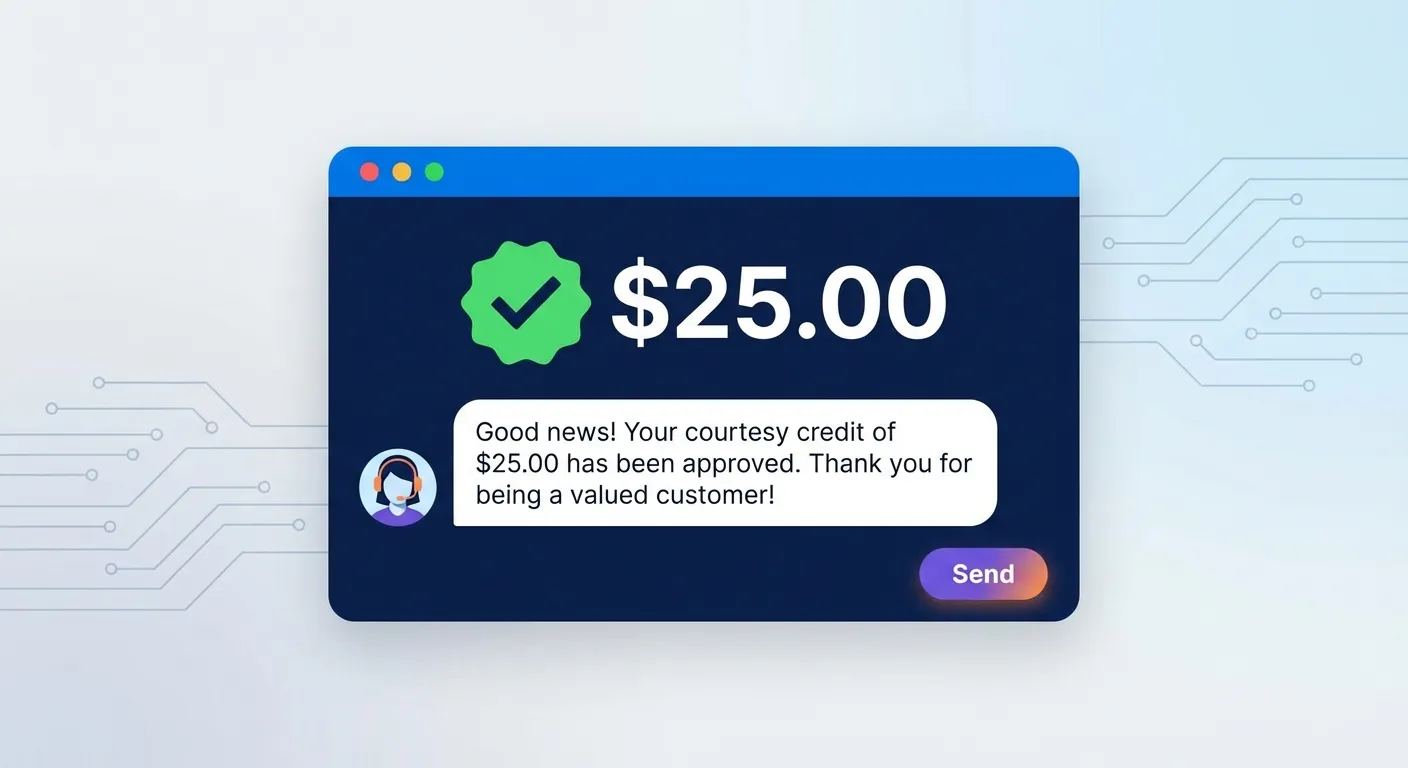
We've seen this work thousands of times. At TaskMonkey, we've successfully negotiated price adjustments on over 5,000 orders for our users. The success rate? Over 90% when you ask correctly.
When Amazon Is Most Likely to Say Yes
Based on our experience processing thousands of requests, here's when Amazon customer service is most likely to issue a courtesy credit:
- Same-day or next-day price drops: If the price dropped within 24-48 hours of your purchase, success rates are highest
- Items sold and shipped by Amazon: First-party (1P) items have better approval rates than third-party sellers
- Clear documentation: Screenshot the original price and current price as evidence
- Polite, reasonable requests: A friendly tone and reasonable ask (not demanding a full refund for a $2 difference) works best
- Within the return window: Requests within 30 days have the highest success rate
For a complete guide on how to request price adjustments, check out our Amazon Price Adjustment Guide.
The Problem with Manual Price Tracking
So if Amazon does give refunds, why isn't everyone doing this?
Simple: it's incredibly time-consuming. Here's what you'd need to do manually:
- Track every order: Go through your order history and note what you paid for each item
- Check current prices daily: Visit each product page to see if prices have dropped
- Document the difference: Screenshot both prices as proof
- Contact customer service: Open a chat or call for each price drop you find
- Negotiate politely: Make your case and hope the agent approves
- Repeat for every order: Do this for potentially dozens of orders
For the average Amazon shopper with 20-30 orders over three months, this process could take 10+ hours. Even then, you might miss price drops because you can't check every product every day.
Traditional price trackers like Keepa and CamelCamelCamel help with monitoring future purchases—but they do nothing for items you've already bought. They're designed to tell you when to buy, not to get you money back after you've already purchased.
How TaskMonkey Solves This Problem
This is exactly why we built TaskMonkey. We realized that while price tracking tools exist for future purchases, nothing existed to help people recover money on past purchases.
TaskMonkey is different because it doesn't just track prices—it actually gets your money back.
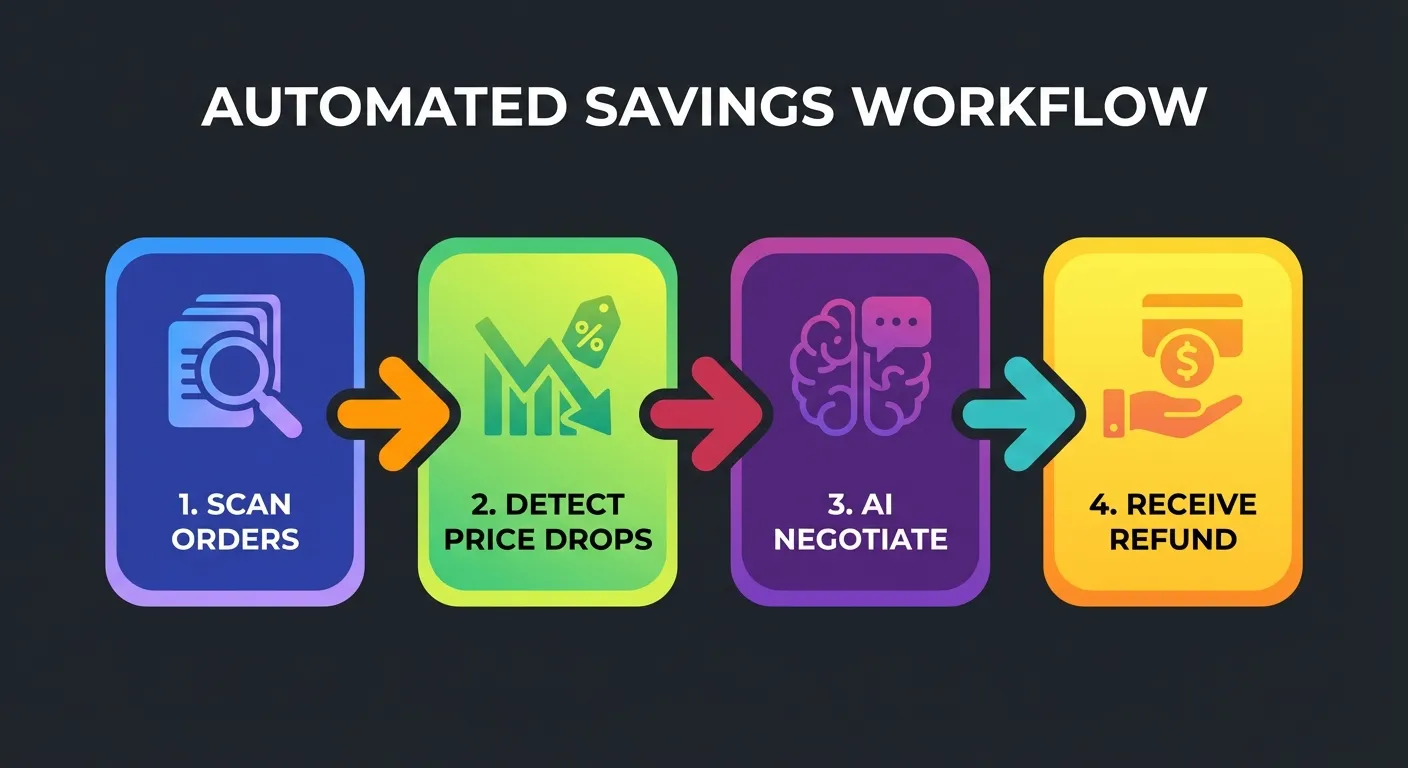
How It Works (5 Minutes to Start, Zero Effort After)
- Install the free Chrome extension: Takes 30 seconds
- Click "Start Saving Now" on your dashboard: One button to begin
- TaskMonkey scans your last 3 months of Amazon orders: Automatically reviews every purchase
- It compares what you paid vs. current prices: Finds every price drop instantly
- AI automatically negotiates with Amazon customer service: No chatting required on your part
- Credits or refunds appear in your Amazon account: Real money, back in your pocket
The best part? You don't have to do anything after clicking start. Go make dinner, watch a show, or take a nap. When you come back, you'll see exactly how much money TaskMonkey recovered for you.
Real Results from Real Users
Here's what makes our approach work:
- AI-powered negotiation: Our AI knows exactly how to phrase requests for maximum approval rates
- Polite and compliant: We use friendly, respectful language that Amazon customer service responds well to
- Comprehensive scanning: We check every order from the past 3 months, not just the ones you remember
- 90%+ success rate: Based on thousands of successful refund requests
TaskMonkey vs. Traditional Price Trackers
How does TaskMonkey compare to tools like Keepa, CamelCamelCamel, or Honey? Here's the key difference:
| Feature | Keepa / CamelCamelCamel | TaskMonkey |
|---|---|---|
| Track future price drops | Yes | Yes |
| View price history | Yes | Yes |
| Alert you when prices drop | Yes | Yes |
| Scan past orders for savings | No | Yes |
| Automatically request refunds | No | Yes |
| AI negotiates with Amazon | No | Yes |
| Actually gets your money back | No | Yes |
Traditional trackers tell you about price drops. TaskMonkey gets your money back.
For a detailed comparison, read our guide on Keepa vs CamelCamelCamel vs Honey—and why none of them solve the post-purchase problem.
What About Privacy and Security?
We know what you're thinking: "Is it safe to let an extension access my Amazon account?"
Great question. Here's our approach to security:
- We never ask for your password: TaskMonkey works through your existing browser session—we can't access or store your login credentials
- Your data stays private: We don't sell your data or share your purchase history with third parties
- Fully compliant with Amazon's policies: We use polite, respectful communication that follows Amazon's terms of service
- Transparent pricing: We only charge when we successfully get money back for you—20% of recovered savings
If you're curious about extension safety in general, check out our article on whether browser extensions like Keepa are safe.
How to Get Started Right Now
Ready to see how much Amazon owes you? Here's how to start:
- Install the TaskMonkey Chrome extension (free, takes 30 seconds)
- Click "Start Saving Now" on your dashboard
- Watch as TaskMonkey scans your orders and finds price drops
- Let AI do the negotiating while you do literally anything else
- Collect your money as credits appear in your Amazon account
The scan is completely free. You only pay if we successfully get money back for you—and even then, it's just 20% of what we recover. If we don't save you anything, you pay nothing.
Frequently Asked Questions
Does Amazon really give refunds for price drops?
Amazon doesn't have an official price adjustment policy, but customer service agents regularly issue courtesy credits when you ask politely. TaskMonkey has successfully processed thousands of these requests with a 90%+ success rate.
How far back can I get refunds for?
TaskMonkey scans your last 3 months of Amazon orders. This is the window where price adjustment requests are most likely to be approved, especially for items still within the standard 30-day return window.
What if the item was from a third-party seller?
Items sold by Amazon directly have the highest success rates. Third-party sellers have their own policies, and courtesy credits are less common—but we still attempt them when there's a reasonable chance of success.
Is this safe and legitimate?
Absolutely. TaskMonkey doesn't do anything a customer couldn't do manually—we just automate the process of checking prices and contacting customer service. Our AI uses polite, professional language, and we never violate Amazon's terms of service.
How much does TaskMonkey cost?
The scan is free. You only pay when we successfully recover money for you—20% of the savings. If we don't get you any money back, you pay nothing. Learn more about our pricing and how it works.
Stop Leaving Money on the Table
Every day you wait is another day of potential savings lost. Amazon isn't going to tell you when prices drop on items you've already purchased. Traditional price trackers can't help you either—they're designed for future purchases, not recovering money on past orders.
TaskMonkey is the only tool that actually gets your money back automatically. We've helped thousands of users recover hundreds of dollars they didn't even know they were owed.
The average user saves $200+ per year. How much is Amazon holding onto for you?
Related Articles in This Topic
- Amazon Price Tracker (2026): Track Price Drops, See Price History & Get Alerts
- Amazon Price Tracker Extension — Best Chrome Extensions + Setup Guide
- Amazon Price History Extension — How to See Price Charts on Every Product Page
- Keepa Extension — What It Is, How It Works, and Best Settings
- Keepa vs CamelCamelCamel vs Honey — Which Amazon Price Tracker Should You Use?
- Is Keepa Safe? — Permissions, Privacy, and What to Watch For
- How to Set Amazon Deal Alerts (Wish List, Rufus, Alexa+) — 2026
- Best Amazon Price Tracker App (2026) — Top Picks Compared
- How to Read a Keepa Chart — Price, Sales Rank, and Deal Traps
- Prime Day / Black Friday "Fake Discounts" — How to Verify With Price Trackers