
The Dirty Secret Behind Prime Day and Black Friday "Deals"
That "50% off" sticker on Prime Day might be a complete lie. In October 2025, Amazon was hit with a class action lawsuit alleging that Prime Day is "rife with fake sales and misleading 'percent off' claims."
The lawsuit, filed in federal court in Washington state, claims Amazon uses "fictional" list prices to calculate discounts—making shoppers believe they're getting a much better deal than they actually are.
This isn't a new phenomenon. Every year, consumer watchdogs catch retailers inflating prices just before major sales events. According to Washington Consumers' Checkbook, their research found that "at many retailers, the fake sales never end. For 12 of the 25 companies, our shoppers found more than half the items we tracked were offered at false discounts every week or almost every week we checked."
How Fake Discounts Work: The Price Inflation Playbook
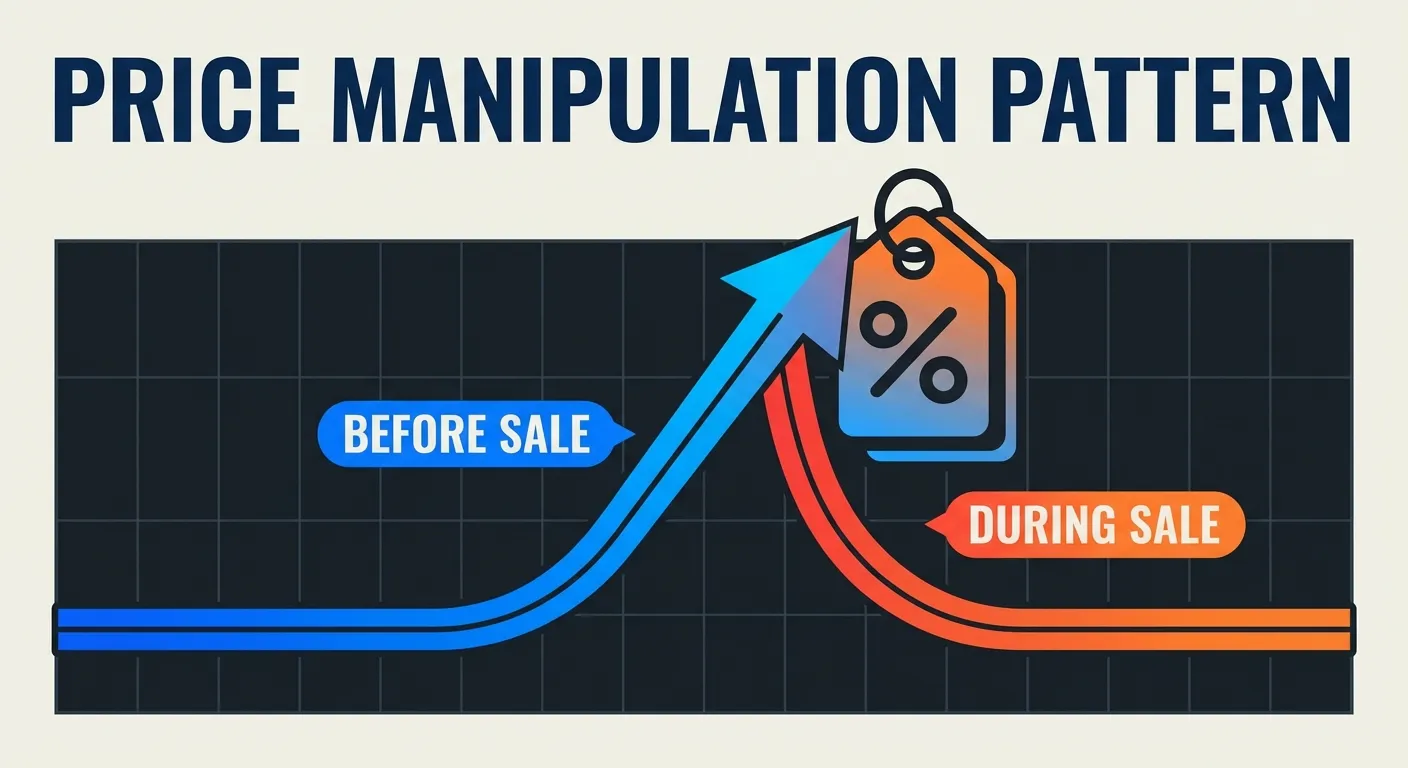
Here's the typical pattern retailers use to create the illusion of massive savings:
- Raise the price weeks before the sale — A product selling for $89 gets bumped to $119 in early November
- Wait for the sale event — Prime Day or Black Friday arrives
- Slash back to the original price — Now it's "25% off!" at $89
- Display the inflated "was" price — Shoppers see "$119" crossed out and feel like they got a deal
The result? You paid exactly what the product was worth before—but you feel like you saved $30.
Real Examples from the 2025 Prime Day Lawsuit
The class action lawsuit documented specific examples of this practice:
- Headphones promoted at "44% off" from a $179.95 "List Price"—but that price hadn't been Amazon's actual price for 90+ days. The real price had ranged from $130-$160
- Kids' tablet listed at "40% off" of $119.99—but it had been selling for $50-$85 in the months before Prime Day
- Digital projector "32% off" at $249—but the price had been artificially raised to $900 just weeks before, when it normally sold for around $249 all year
- Amazon smart glasses bundle "47% off" at $239.98—but the bundle had been $299.99 since June, and was only raised to $449.98 on July 1st, just before Prime Day
The Legal Reality: Why This Keeps Happening
You might wonder: isn't this illegal? Technically, yes—but enforcement is weak.
The Federal Trade Commission's rules on "former price comparisons" clearly state that discounts are illegal if "the former price being advertised is not bona fide but fictitious—for example, where an artificial, inflated price was established for the purpose of enabling the subsequent offer of a large reduction."
However, enforcing this rule across millions of products is nearly impossible. The FTC focuses on the most egregious cases, like their recent $2.5 billion settlement with Amazon over deceptive Prime subscription practices. But individual fake discount claims rarely get prosecuted.
EU Shoppers Have It Better
In the European Union, regulations require retailers to display an item's lowest price from the past 30 days next to any "sale" price. This makes price manipulation much harder to hide. Unfortunately, US shoppers don't have this protection—yet.
How to Spot Fake Discounts Before You Buy
The good news? Free tools exist that make fake discounts obvious. Here's your verification checklist:
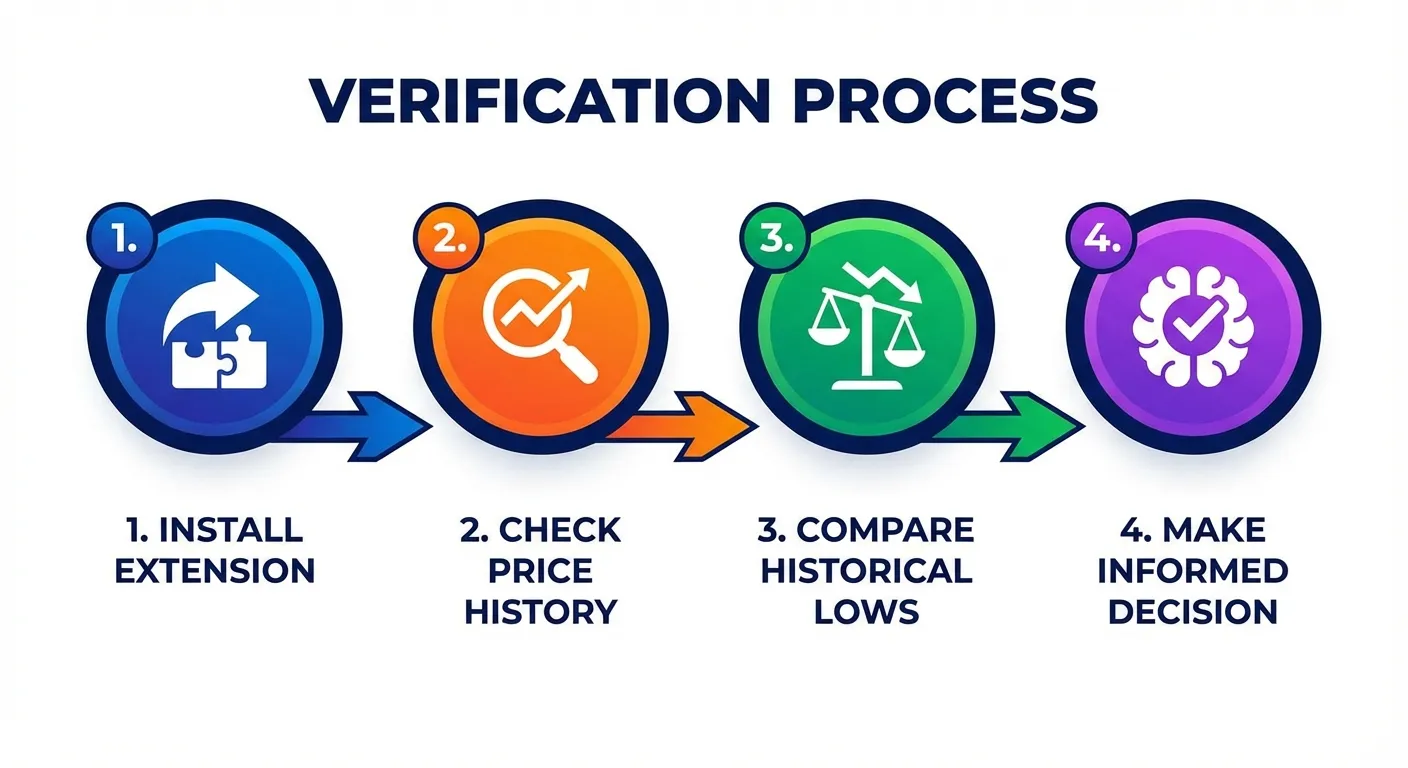
Step 1: Install a Price Tracking Extension
Before shopping any major sale, install one of these browser extensions:
- Keepa — Shows detailed price history charts directly on Amazon product pages. Tracks prices across 11 Amazon marketplaces
- CamelCamelCamel — Free tool that shows price history when you paste an Amazon URL. Simple and effective
Learn more about setting these up in our Keepa extension guide or comparison of Keepa vs CamelCamelCamel vs Honey.
Step 2: Check the Price History
Once you've found a "deal," look at the price history chart. Here's what to look for:
- Recent price spikes — If the price jumped up in the weeks before the sale, that's a red flag
- Consistent pricing — If the product has been around the "sale" price for months, you're not getting a real deal
- Historical lows — Compare the current price to the all-time low. Is it actually a good deal, or just average?
For a deep dive on reading price charts, see our guide on how to read a Keepa chart.
Step 3: Use the 30/90 Day Rule
A legitimate deal should be:
- Below the 30-day average — At minimum, the sale price should be lower than what it sold for in the past month
- Near or below the 90-day low — Ideally, it should match or beat the lowest price in the past 3 months
- Not following a recent price increase — The "original" price should have been stable, not artificially raised
For more on this, read our article on Amazon price history: 30 vs 90 days.
The Pre-Sale Shopping Freeze Strategy
Consumer experts recommend a simple but effective strategy: don't buy anything on Amazon for 6 weeks before Black Friday.
Why? Because retailers start inflating prices in October to set up their "discounts." By not shopping during this window, you avoid accidentally paying the artificially high prices that become the "was" prices during the sale.
When the sale arrives, use your price tracker to verify that the "deal" price is actually lower than the pre-inflation price.
What If You Already Bought Something at a "Fake" Discount?
Here's where it gets interesting. Even if you fell for a fake discount, you might still be able to get money back—and not just by returning the item.
If the price drops further after your purchase (which often happens after Prime Day and Black Friday), you can contact Amazon customer service and politely ask for a price adjustment. Amazon doesn't advertise this, but they often issue courtesy credits when you ask nicely.
The problem? Who has time to track prices on everything they bought and contact customer service for each one?
TaskMonkey: Automatic Price Drop Recovery
TaskMonkey solves this problem automatically. Instead of manually tracking prices after purchase, TaskMonkey:
- Scans your last 3 months of Amazon orders
- Compares what you paid vs. current prices
- Uses AI to automatically chat with Amazon customer service
- Gets you courtesy credits or refunds—without you lifting a finger
Even if you paid full price for something that's now cheaper, or fell for a fake discount that later dropped to its real price, TaskMonkey can help you recover that money.
Learn more about how this works in our guide on tracking price drops after you buy.
Your Pre-Sale Verification Checklist
Before buying anything during Prime Day, Black Friday, or any major Amazon sale:
- Install Keepa or CamelCamelCamel — Get price history at a glance
- Check the 90-day price history — Look for price spikes before the sale
- Compare to historical lows — Is this actually a good deal?
- Avoid impulse buying — The "limited time" pressure is often manufactured
- Install TaskMonkey — Even if you miss a price drop, AI will help you get money back later
For more tips on setting up alerts so you never miss a real deal, see our guide on price drop alerts done right.
The Bottom Line
Fake discounts are everywhere on Amazon—especially during Prime Day and Black Friday. Retailers know that urgency and the appearance of savings drives purchases, even when the "savings" are completely fabricated.
But you don't have to fall for it. Price tracking tools like Keepa and CamelCamelCamel make it easy to verify whether a deal is real. And even if you do overpay, TaskMonkey can help you recover money when prices drop—automatically.
The smartest approach? Use price trackers to verify deals before you buy, and use TaskMonkey to get money back on purchases you've already made. Together, they ensure you're never leaving money on the table.
Related Articles in This Topic
- Amazon Price Tracker (2026): Track Price Drops, See Price History & Get Alerts
- Amazon Price Tracker Extension — Best Chrome Extensions + Setup Guide
- Amazon Price History Extension — How to See Price Charts on Every Product Page
- Keepa Extension — What It Is, How It Works, and Best Settings
- Keepa vs CamelCamelCamel vs Honey — Which Amazon Price Tracker Should You Use?
- How to Read a Keepa Chart — Price, Sales Rank, and Deal Traps
- Amazon Price History — 30 vs 90 Days and What It Misses
- Track Price Drops After You Buy — Can You Get Money Back From Amazon?
- Price Drop Alerts Done Right — Thresholds, Variants, and Noise Control
- How to Set Amazon Deal Alerts (Wish List, Rufus, Alexa+) — 2026