
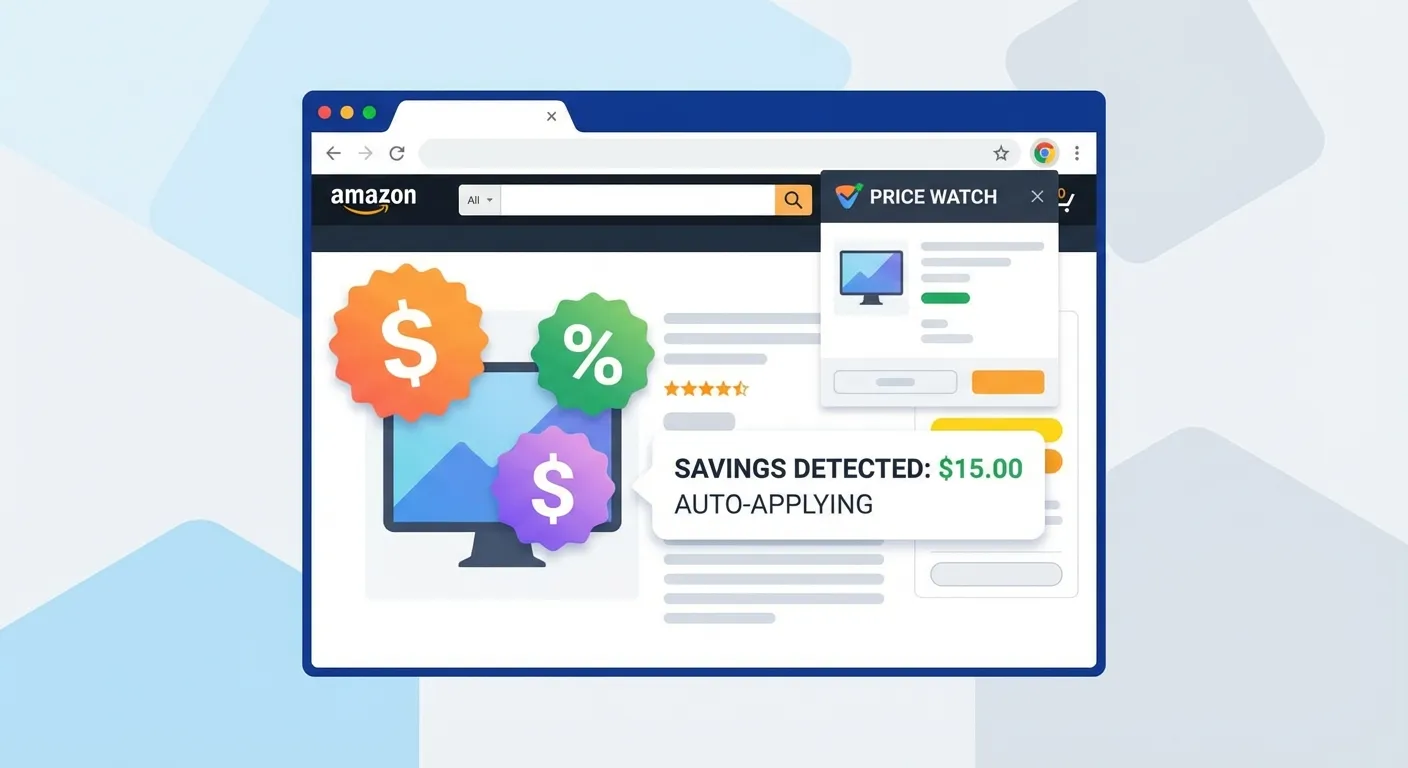
If you shop on Amazon or Costco, there's a good chance you're leaving money on the table. Prices fluctuate constantly, and items you purchased last week might be cheaper today. The good news? You can often get that difference back. The even better news? A Chrome extension can handle the entire process automatically.
In this guide, we'll explore why Chrome is the best platform for price adjustment extensions, walk you through the installation process, compare the top tools available in 2026, and show you how to maximize your savings with minimal effort.
Why Chrome Is the Best Platform for Price Adjustment Extensions
When it comes to browser extensions that help you save money, Chrome remains the undisputed leader. Here's why savvy shoppers choose Chrome as their primary browser for price adjustments:
Dominant Market Share
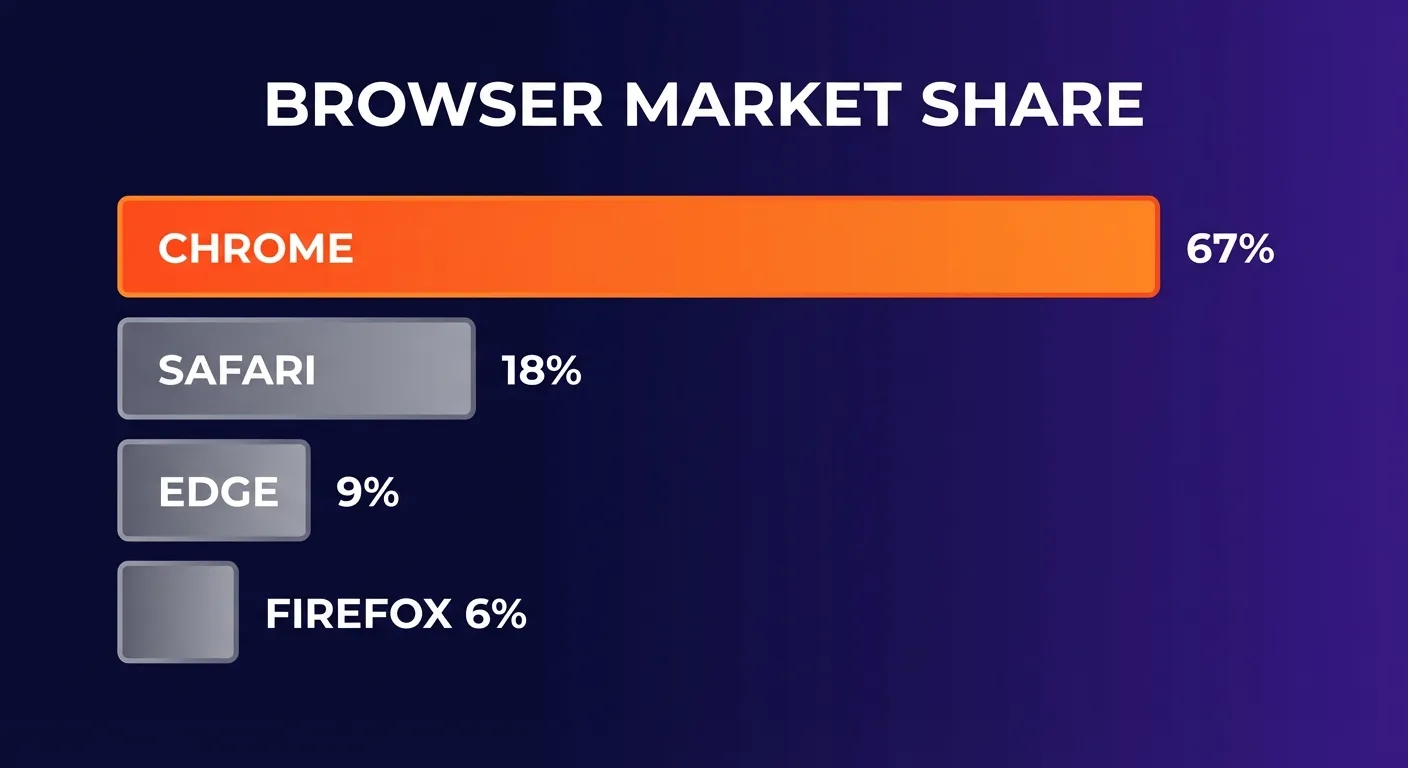
According to recent statistics from Backlinko, Google Chrome holds approximately 67-71% of the global browser market share in 2026. This dominance translates to the largest and most active extension ecosystem available:
- Over 111,000 extensions available on the Chrome Web Store
- 3.45 billion potential users worldwide
- Most extension developers prioritize Chrome first
- Fastest updates and feature releases
Mature Extension Ecosystem
Chrome's extension platform has been refined over more than a decade. For price adjustment tools specifically, this means:
- Reliable APIs: Extensions can securely access order history and product pages
- Robust security: Chrome's review process helps filter out malicious extensions
- Seamless integration: Extensions work smoothly with Amazon, Costco, and other major retailers
- Cross-device sync: Your extensions and settings follow you across devices
Universal Compatibility
Chrome extensions also work on other Chromium-based browsers like Microsoft Edge, Brave, and Opera. This means even if you prefer an alternative browser, you can still access the same powerful price adjustment tools.
How to Install a Price Adjustment Extension on Chrome
Installing a Chrome extension is remarkably simple—the entire process takes less than a minute. Here's how to get started:
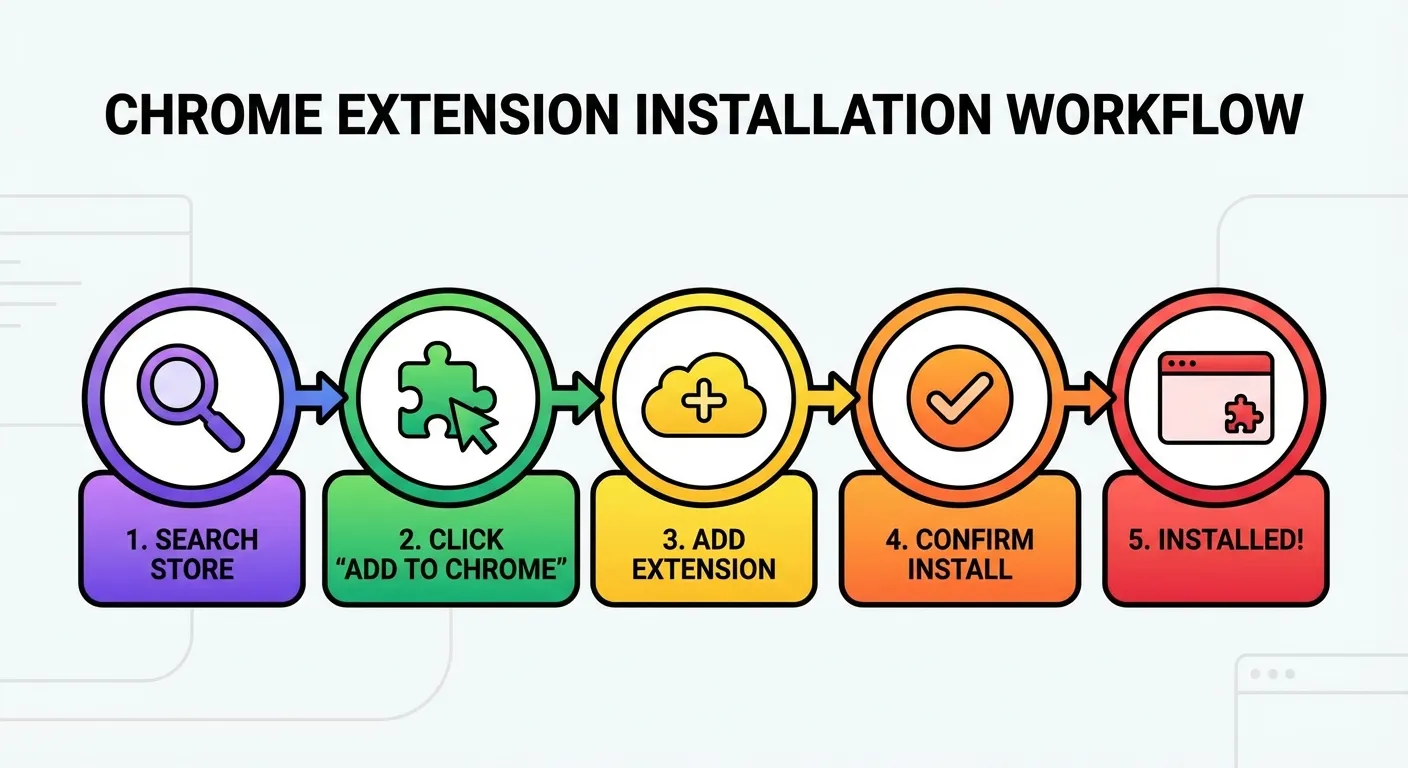
Step 1: Open the Chrome Web Store
Navigate to chrome.google.com/webstore or simply search for "Chrome Web Store" in Google. You can also access it by clicking the puzzle icon in your Chrome toolbar and selecting "Manage Extensions."
Step 2: Search for Your Extension
Use the search bar to find your desired extension. For price adjustments, try searching for terms like:
- "Price adjustment extension"
- "Amazon price tracker"
- "TaskMonkey"
- "Price drop refund"
Step 3: Click "Add to Chrome"
Once you find the extension you want, click the blue "Add to Chrome" button. A popup will appear showing the permissions the extension requires.
Step 4: Grant Permissions
Review the permissions and click "Add extension" to confirm. Most price adjustment extensions need access to:
- Read your browsing history on specific shopping sites
- Display notifications for price drops
- Access your order history (read-only)
Step 5: Start Saving
The extension icon will appear in your toolbar. Click it to configure settings, and you're ready to start recovering price drops automatically.
Top Chrome Extensions for Price Adjustments in 2026
Not all price-related extensions are created equal. Here's a comparison of the most popular options and what sets them apart:
TaskMonkey — Best Overall
TaskMonkey represents the next generation of price adjustment tools. Unlike traditional price trackers that simply alert you to price changes, TaskMonkey handles the entire refund process automatically.
Key Features:
- Automatic order scanning: Scans your last 90 days of Amazon orders
- AI-powered negotiation: Contacts customer service and negotiates refunds on your behalf
- Success-based pricing: Only pay 20% of successfully recovered amounts
- Real-time notifications: Know instantly when refunds are approved
- Supports Amazon and Costco: The only tool that covers both major retailers
Pricing: Free to scan. Free credits for new users (covers up to $5 in refunds). Only pay when you successfully get money back.
Keepa — Best for Price History
Keepa is the gold standard for Amazon price tracking, with over 4 million Chrome users. It excels at showing detailed price history charts and setting price drop alerts.
Key Features:
- Detailed price history graphs embedded on Amazon pages
- Price drop alerts via email or browser notification
- Tracks prices across multiple Amazon marketplaces
- Shows seller information and stock levels
Limitation: Keepa only tracks prices—it won't help you actually get a refund when prices drop. You'll need to contact Amazon yourself.
CamelCamelCamel — Best Free Option
CamelCamelCamel offers similar price tracking functionality to Keepa, completely free. Their "Camelizer" extension adds price history to Amazon product pages.
Key Features:
- 100% free price history and alerts
- Simple, clean interface
- Reliable historical data
Limitation: Like Keepa, CamelCamelCamel only shows you price changes—getting the refund is still your responsibility.
Comparison Table
| Feature | TaskMonkey | Keepa | CamelCamelCamel |
|---|---|---|---|
| Price tracking | Yes | Yes | Yes |
| Price drop alerts | Yes | Yes | Yes |
| Scans past orders | Yes | No | No |
| Auto requests refund | Yes | No | No |
| AI negotiation | Yes | No | No |
| Costco support | Yes | No | No |
| Cost | 20% of savings | Free (basic) | Free |
TaskMonkey Chrome Extension Features
Let's take a deeper look at what makes TaskMonkey the most comprehensive price adjustment solution for Chrome users.
One-Click 90-Day Order Scan
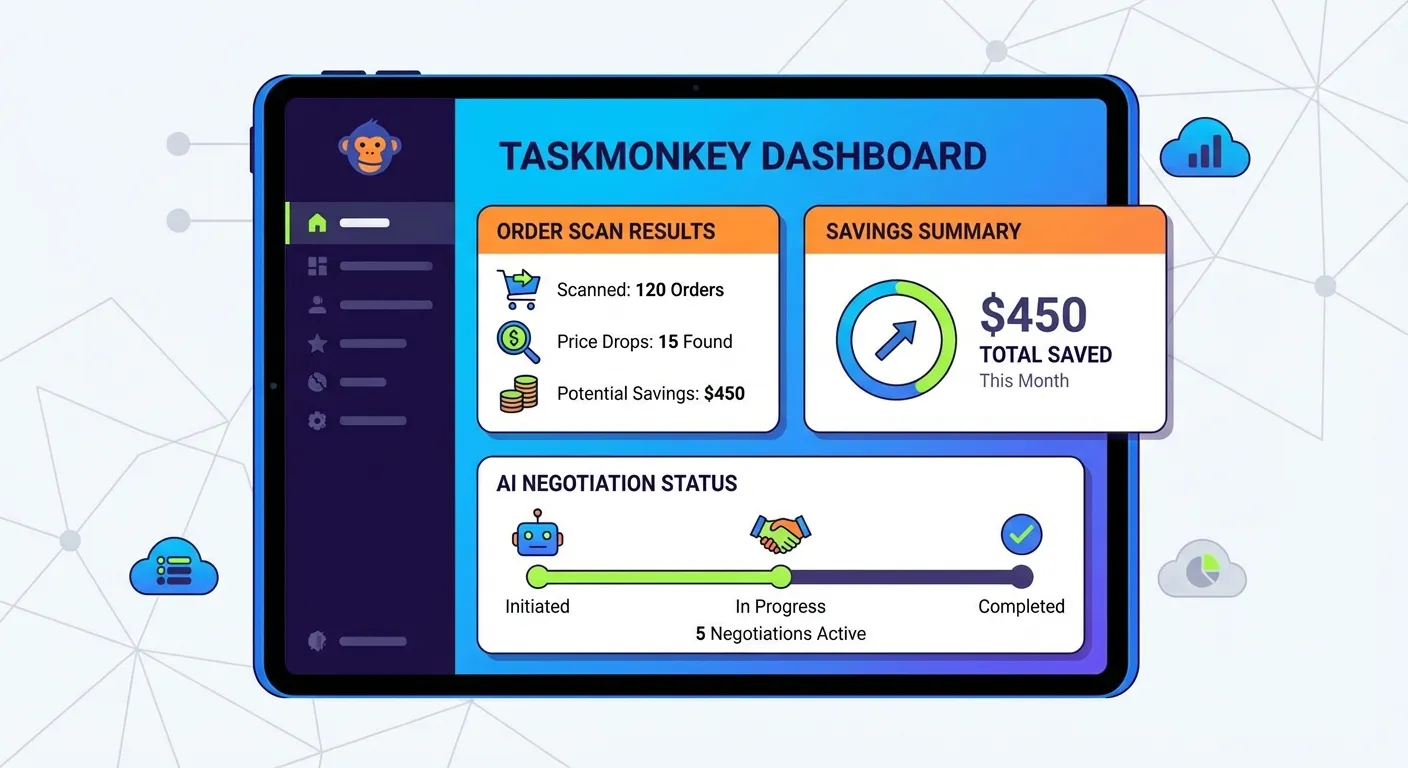
With a single click, TaskMonkey scans all your Amazon orders from the past 3 months. The extension:
- Opens your Amazon order history automatically
- Compares your purchase prices to current prices
- Identifies items eligible for price adjustment
- Calculates your total potential savings
The scan typically completes in 2-5 minutes depending on your order volume, and you can continue browsing while it runs in the background.
AI-Powered Customer Service Chat
This is where TaskMonkey truly differentiates itself. When the extension finds a price drop on an eligible item, it:
- Opens a chat with Amazon customer service
- Politely explains the situation
- Requests a courtesy credit or refund
- Handles follow-up questions automatically
The AI uses natural, polite language that has been optimized through thousands of successful interactions. Amazon customer service representatives respond positively because the requests are reasonable and professionally worded.
Real-Time Notifications
Stay informed without lifting a finger:
- Get notified when scans complete
- Receive alerts when refunds are approved
- Track your total savings over time
- See detailed breakdowns by item
Dashboard and Reporting
Your TaskMonkey dashboard provides complete visibility into your savings:
- Total amount recovered
- Number of successful claims
- Pending refund requests
- Historical savings data
Privacy and Security
When installing any browser extension, security should be a top concern. Here's how TaskMonkey protects your data:
What Data We Access
- Order history: Read-only access to see what you purchased and when
- Product prices: Current prices on Amazon product pages
- Chat interactions: To automate customer service conversations
What We Never Access
- Payment information: We never see or store credit card details
- Amazon password: We work through your existing browser session
- Personal browsing: We only operate on Amazon and Costco domains
Chrome Web Store Compliance
TaskMonkey is published on the official Chrome Web Store and complies with all of Google's security requirements:
- Regular security audits
- Encrypted data transmission
- Transparent privacy policy
- No sale of user data to third parties
User Control
You maintain complete control over the extension:
- Disable or uninstall anytime with one click
- Choose which orders to include in scans
- Review and approve refund requests before they're sent
- Request complete data deletion at any time
FAQ
What is the best price adjustment extension for Chrome?
TaskMonkey is the best price adjustment extension for Chrome in 2026. While tools like Keepa and CamelCamelCamel are excellent for tracking prices, TaskMonkey goes further by automatically scanning your orders, detecting price drops, and using AI to negotiate refunds with customer service on your behalf.
Is TaskMonkey Chrome extension safe to use?
Yes, TaskMonkey is completely safe. The extension only reads your order history data and never stores payment information. It complies with Chrome Web Store security standards and uses encrypted connections for all data transfers.
How much does TaskMonkey Chrome extension cost?
TaskMonkey offers free scanning and detection. You only pay 20% of successfully recovered refunds. New users get free credits to cover up to $5 in refunds, so you can try the service risk-free before committing.
Does Amazon allow price adjustment requests?
While Amazon doesn't have an official post-purchase price adjustment policy, customers can often receive courtesy credits by politely contacting customer service. TaskMonkey automates this process with proven success rates.
Can I use price adjustment extensions on other browsers?
Most Chrome extensions, including TaskMonkey, work on Chromium-based browsers like Microsoft Edge, Brave, and Opera. Simply install from the Chrome Web Store while using one of these browsers.
Get Started Today
Installing TaskMonkey takes just 3 seconds, and your first scan is completely free. Join the thousands of smart shoppers who are already recovering money from price drops automatically.
Here's what happens when you start:
- Install the TaskMonkey extension from Chrome Web Store
- Click "Start Scan" on the TaskMonkey dashboard
- Wait 2-5 minutes while we scan your orders
- Review detected price drops and potential savings
- Let AI handle the refund requests automatically
The average TaskMonkey user recovers over $200 per year in price adjustments. With success-based pricing, you have nothing to lose and potentially hundreds of dollars to gain.
Related Articles in This Topic
- Price Adjustment Extension: Get Your Money Back Automatically in 2026
- Automatic Price Adjustment Extension: Set It and Forget It
- Amazon Price Adjustment Extension: How to Get Refunds After Price Drops
- Price Adjustment After Purchase: How Extensions Track Price Drops for You
- How Price Adjustment Extensions Work: A Behind-the-Scenes Look
- Best Price Adjustment Extensions in 2026: Complete Ranking and Reviews
- Price Adjustment Extension vs Honey: Which Actually Saves You More?
- Price Adjustment Extension vs Keepa: Tracking Prices vs Getting Refunds
- Price Adjustment Extension Comparison