
The Hidden Opportunity After Every Purchase
Here's a fact that might change how you think about online shopping: your purchase isn't the end of the transaction—it's often the beginning of a hidden savings opportunity.
According to pricing intelligence data from Profitero, Amazon changes prices on approximately 2.5 million products every single day. That's roughly 8% of their entire catalog fluctuating in price at any given moment. What this means for you: the $300 headphones you bought last week could be $249 today. That $800 TV from last month? It might be $650 now.
But here's the problem: most shoppers have what researchers call "post-purchase amnesia." Once the buy button is clicked, we mentally move on. We forget about the purchase—and miss the window to claim what we're owed when prices drop.
This isn't about being obsessive over every dollar. It's about systematic money you're leaving on the table simply because you're not watching. And let's be honest—who has time to manually check every purchase every day?

Why Tracking After Purchase Matters
Most price tracking tools focus on when to buy. They help you decide if now is a good time to purchase or if you should wait for a better price. But what about purchases you've already made?
Amazon's Unofficial Price Adjustment Window
While Amazon doesn't advertise a formal price adjustment policy, customer service agents have discretion to issue courtesy credits when prices drop shortly after your purchase. According to DealNews research, requests made within 7 days of purchase have the highest success rate, though credits are often granted for items purchased up to 30 days ago—especially for items sold and shipped by Amazon.
The key phrase here is "courtesy credit." Amazon won't proactively tell you about price drops or automatically refund the difference. You have to ask. And you have to know there was a price drop in the first place.
Costco's Official 30-Day Policy
Unlike Amazon, Costco has an official price adjustment policy. If an item you purchased drops in price within 30 days, you can request a refund of the difference—either online or in-store. This is a formal policy, not discretionary.
But even with a clear policy, how many people actually check their Costco purchases daily for 30 days? Almost no one. The opportunity exists, but manually taking advantage of it is impractical.
How Traditional Tools Fall Short
You might be thinking: "Can't I just use Keepa or CamelCamelCamel to track prices?" The short answer is yes—but with significant limitations.
Keepa: Powerful But Manual
Keepa is an excellent tool for tracking Amazon price history. It shows detailed graphs of price changes over time, and you can set alerts for future price drops. However:
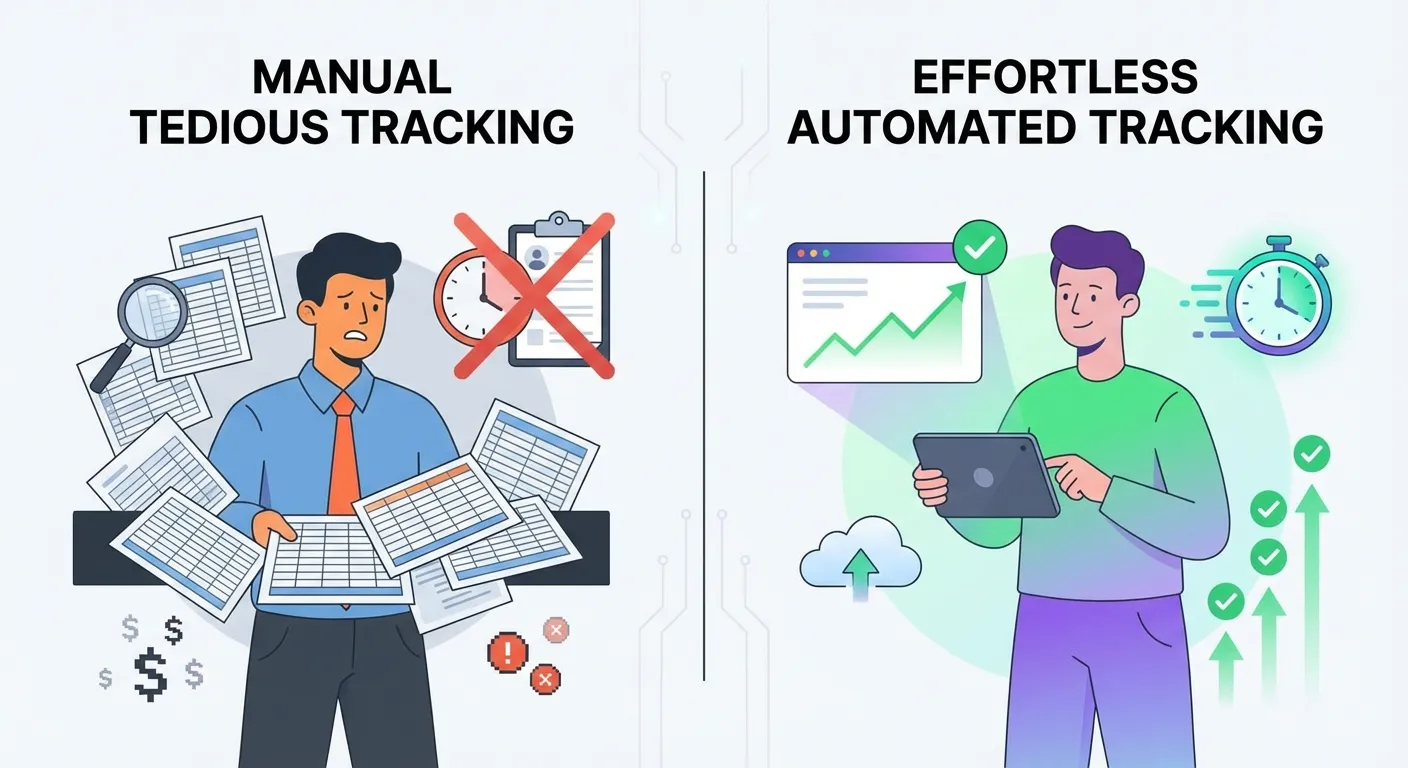
- You have to manually add products: Keepa doesn't automatically track items you've purchased. You need to visit each product page and add it to your tracking list.
- It only alerts you: Even when Keepa notifies you of a price drop, you still have to contact Amazon yourself to request a credit.
- It's not retroactive: Keepa is designed for future purchases, not past ones.
CamelCamelCamel: Same Limitations
CamelCamelCamel operates similarly. It's great for researching whether a current price is a good deal, but:
- Requires setup for each product: You need to create alerts for items you want to track.
- No integration with your order history: It doesn't know what you've already bought.
- No action taken on your behalf: When a price drops, you're on your own.
The Gap in the Market
Traditional price trackers answer the question: "Should I buy this now?" But they completely ignore the question: "Can I get money back on something I already bought?"
This gap represents hundreds of dollars in unclaimed savings for the average Amazon shopper. Someone needed to build a tool that not only tracks prices after purchase but also takes action when savings opportunities arise.
TaskMonkey's "Set and Forget" Approach
This is exactly why we built TaskMonkey. We realized that the real savings opportunity isn't in deciding when to buy—it's in recovering money from purchases you've already made.
How TaskMonkey Works
TaskMonkey flips the traditional price tracking model on its head:
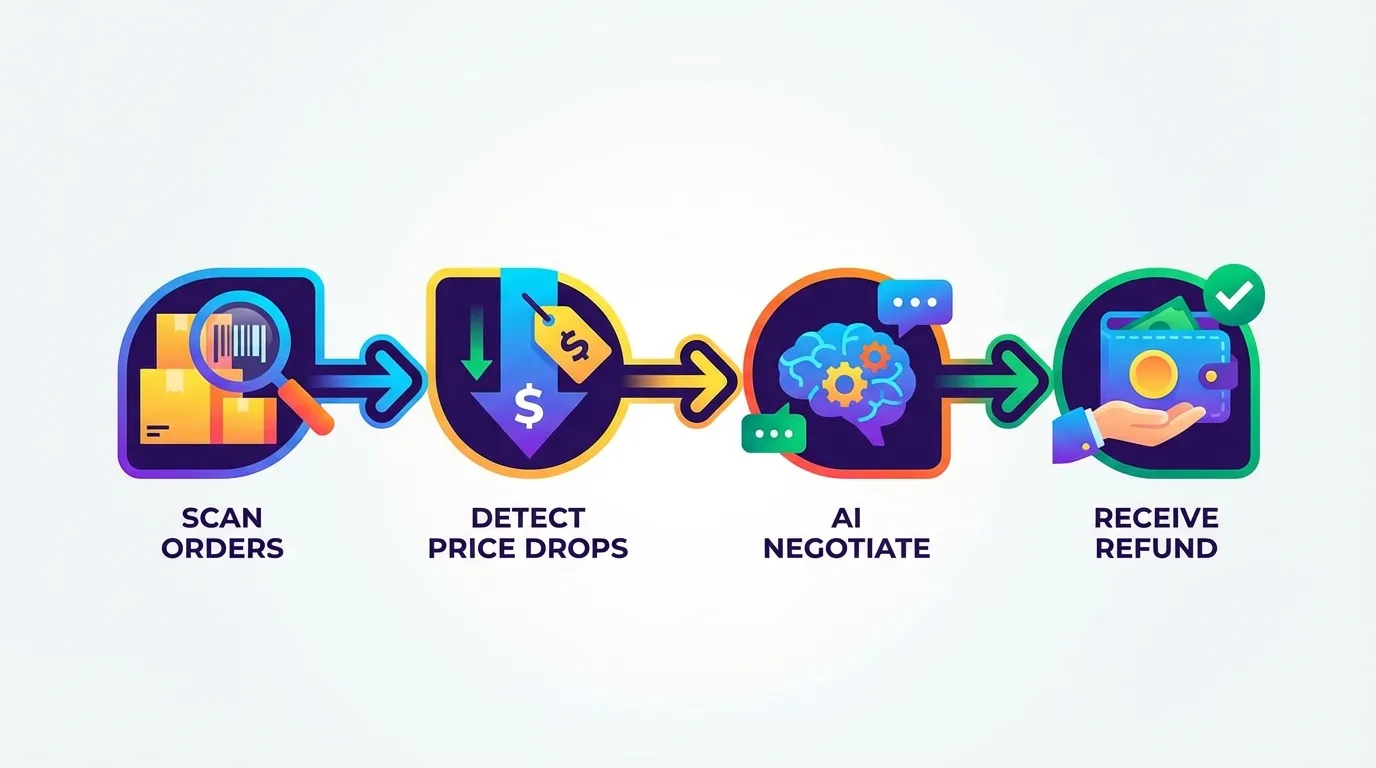
- Automatic order scanning: Install the Chrome extension and click "Start Saving Now." TaskMonkey automatically scans your last 3 months of Amazon orders—no manual setup required.
- Continuous price monitoring: Once your orders are scanned, TaskMonkey monitors prices on everything you've purchased. You don't need to add products to a tracking list or set up alerts.
- Instant price drop detection: When a product you bought drops in price, TaskMonkey detects it immediately.
- AI-powered negotiation: Here's where TaskMonkey is fundamentally different. Instead of just alerting you, our AI automatically contacts Amazon customer service and requests a courtesy credit on your behalf. The AI uses polite, professional language optimized for success.
- Money back in your account: When approved, credits appear directly in your Amazon account. You don't have to do anything.
Why "Set and Forget" Matters
The beauty of TaskMonkey is that it requires exactly 5 minutes of your time—once. After the initial setup:
- No products to add manually
- No alerts to configure
- No customer service chats to initiate
- No follow-ups to manage
You literally set it and forget it. Go about your life. When there's money to recover, TaskMonkey handles everything automatically.
Real Example: A $50 Refund You Almost Missed
Let me share a real scenario that illustrates why post-purchase tracking matters:
Sarah bought a robot vacuum for $399 during a moderate sale. She was happy with the purchase and used it for two weeks without a second thought. Three weeks after her purchase—well outside her mental "shopping window"—the vacuum dropped to $349 for a flash sale.
Without TaskMonkey, Sarah would have never known. She wasn't checking the price. She wasn't monitoring Amazon. The robot vacuum was already unpacked and in use—mentally, that transaction was closed.
But TaskMonkey was watching. The moment the price dropped, our AI detected the $50 difference and initiated a courtesy credit request with Amazon customer service. Within 24 hours, Sarah had a $50 credit in her Amazon account.
She didn't lift a finger. She didn't even know about the price drop until she received a notification that the credit had been applied.
This is what we mean by "the purchase is the beginning, not the end."
TaskMonkey vs. Manual Tracking: The Numbers
Let's put this in perspective with some rough math:
| Task | Manual Approach | TaskMonkey |
|---|---|---|
| Adding products to track | 2-3 min per product | 0 min (automatic) |
| Checking prices daily | 15-30 min per day | 0 min (automatic) |
| Contacting customer service per refund | 10-20 min each | 0 min (AI handles it) |
| Monthly time investment | 8-15 hours | 5 min (one-time setup) |
| Success rate | Varies by skill | 90%+ |
For most people, the manual approach simply isn't realistic. The time investment doesn't justify the savings—unless you earn less than $5/hour. TaskMonkey changes that equation entirely by reducing the time investment to essentially zero.
How to Start Tracking Your Past Purchases
Ready to stop leaving money on the table? Here's how to get started:
- Install the TaskMonkey Chrome extension — It's free and takes about 30 seconds.
- Click "Start Saving Now" on your dashboard — This initiates the scan of your Amazon order history.
- Let TaskMonkey scan your last 3 months — The extension automatically reviews all your purchases and current prices.
- Review your potential savings — You'll see exactly how much money is recoverable from price drops.
- Let AI do the work — TaskMonkey's AI handles all customer service negotiations automatically.
- Collect your credits — When approved, credits appear in your Amazon account.
What About Security and Privacy?
We know security is a concern when using browser extensions. Here's our approach:
- We never ask for your Amazon password: TaskMonkey works through your existing browser session. We can't access or store your login credentials.
- Your data stays private: We don't sell your purchase history or share it with third parties.
- Fully compliant: Our AI uses polite, professional communication that follows Amazon's terms of service. We're not doing anything you couldn't do manually—we're just automating it.
- Transparent pricing: No hidden fees. You only pay when we successfully get money back for you.
Frequently Asked Questions
How long does the initial scan take?
The initial scan of your Amazon order history typically takes 5-15 minutes, depending on how many orders you have. You can let it run in the background while you do other things.
What if I've already contacted Amazon about a price drop?
TaskMonkey is smart enough to avoid duplicate requests. If you've already received a credit for a specific order, it won't try to request it again.
Does this work for third-party sellers?
Items sold and shipped by Amazon have the highest success rate. Third-party sellers have their own policies, and courtesy credits are less common—but we still attempt them when there's a reasonable chance of success.
How far back does TaskMonkey scan?
We scan the last 3 months of your Amazon orders. This is the window where price adjustment requests are most likely to be approved, especially for items still within the standard 30-day return window.
What's the average savings?
Most TaskMonkey users recover $200+ per year from Amazon price drops. Active Amazon shoppers often see much higher numbers. The exact amount depends on your purchase history and how frequently prices drop on items you've bought.
Stop Missing Your Money
Every day you shop without post-purchase tracking is a day you're potentially leaving money on Amazon's table. Traditional price trackers help you decide when to buy, but they do nothing for purchases you've already made.
TaskMonkey bridges this gap. We automatically track every purchase, detect every price drop, and negotiate every refund—so you don't have to.
The purchase isn't the end. It's the beginning of your savings opportunity. Don't miss it.
Related Articles in This Topic
- Price Adjustment Extension: Get Your Money Back Automatically in 2026
- Best Price Adjustment Extension for Chrome in 2026
- Automatic Price Adjustment Extension: Set It and Forget It
- Amazon Price Adjustment Extension: How to Get Refunds After Price Drops
- How Price Adjustment Extensions Work: A Behind-the-Scenes Look
- Best Price Adjustment Extensions in 2026: Complete Ranking and Reviews
- Price Adjustment Extension vs Honey: Which Actually Saves You More?
- Price Adjustment Extension vs Keepa: Tracking Prices vs Getting Refunds
- Price Adjustment Extension Comparison