

What Makes an Extension "Automatic"?
Not all price adjustment extensions are created equal. The difference between a standard price tracker and a truly automatic extension comes down to how much work you still have to do yourself.
Let's break down what "automatic" actually means in this context:
Automatic Scanning vs. Manual Input
Traditional price tracking tools like Keepa and CamelCamelCamel require you to manually add products to your watchlist. You browse Amazon, find something interesting, click "track this," and then wait for alerts.
An automatic extension, on the other hand, scans your purchase history without any input from you. It looks at everything you've already bought and checks current prices automatically. No adding products. No maintaining lists. No remembering which items you wanted to track.
Automatic Detection vs. Manual Comparison
Even with price alerts, most tools still leave the comparison work to you. You get an email saying "Price dropped on Widget X!" and then you have to:
- Remember what you paid for it
- Figure out if the drop is significant enough to bother with
- Decide whether to take action
Automatic extensions handle all of this. They know exactly what you paid because they pulled that information from your order history. They calculate the difference instantly. And they determine whether a refund request is worth pursuing.
Automatic Refund Requests vs. Manual Customer Service
This is where the biggest time savings come in. Getting a price adjustment from Amazon customer service typically involves:
- Navigating to the Help section
- Finding the right contact option
- Waiting in a chat queue
- Explaining your situation
- Providing order details
- Politely requesting a credit or refund
- Waiting for approval
This process can take 10-20 minutes per order. Multiply that by several price drops per month, and you're looking at hours of work.
A truly automatic extension like TaskMonkey handles all of this with AI. It opens the customer service chat, has the conversation on your behalf using polite and effective language, and gets the credit applied to your account—all while you're doing literally anything else.
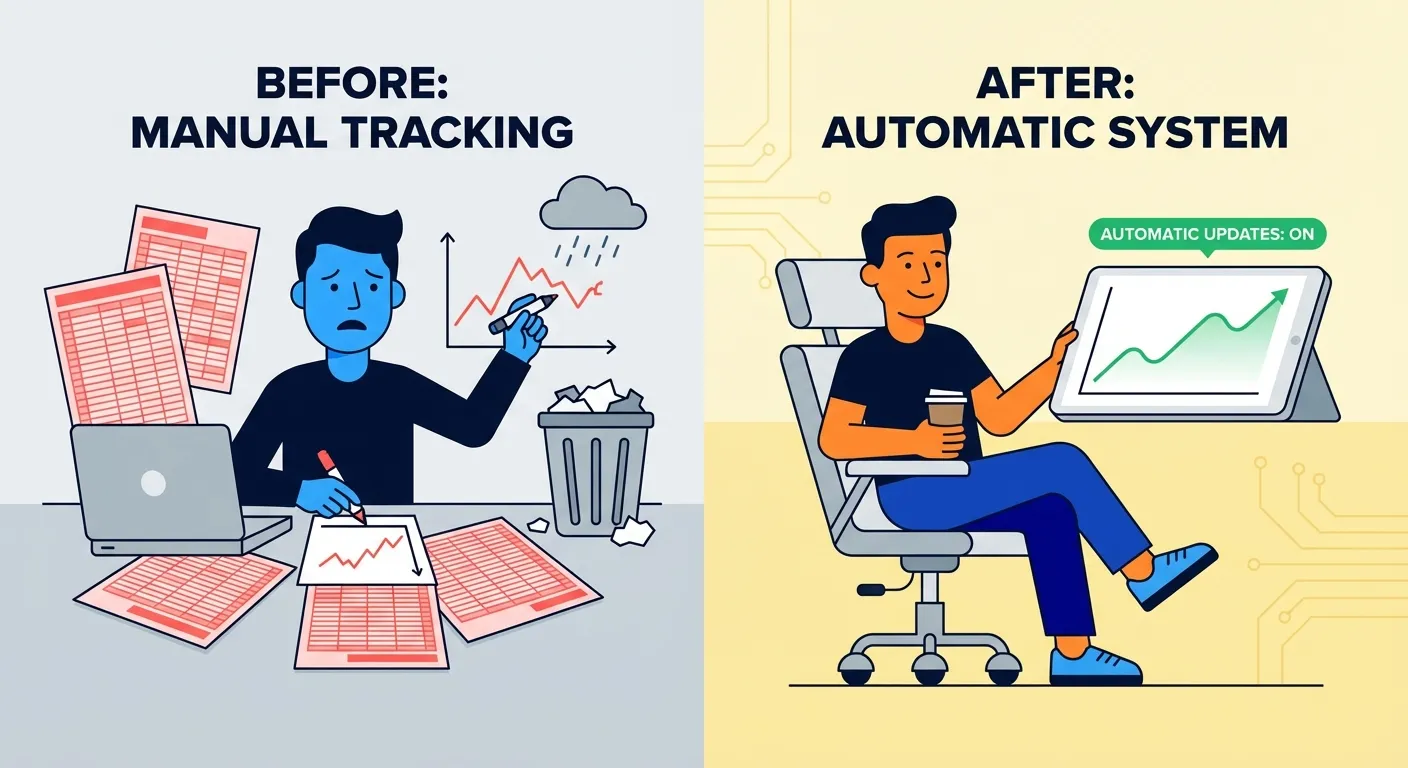
The Problem with Manual Price Tracking
Before we dive into how automatic extensions work, let's be honest about why manual tracking fails for most people.
The Time Cost Is Real
According to a Statista report, the average Amazon Prime member makes over 25 orders per year. That's 25 opportunities for price drops after purchase.
If you were to manually track each of these orders, compare prices daily, and contact customer service for every price drop, you'd be looking at:
- Daily price checks: 5-10 minutes × 365 days = 30-60 hours/year
- Customer service contacts: 15 minutes × estimated 5-10 price drops = 1.25-2.5 hours/year
- Total time investment: 31-62 hours per year
That's almost a full work week spent on price tracking. For most people, that math simply doesn't work out.
Things Get Missed
Even with the best intentions, manual tracking leads to missed opportunities. Life gets busy. You forget to check prices. An email alert goes to spam. By the time you notice a price drop, the return window may have closed.
Amazon's unofficial price adjustment window is typically within 7 days of delivery. Miss that window, and you've lost your chance at a refund—no matter how significant the price drop.
Customer Service Friction
Let's be honest: nobody enjoys contacting customer service. Even when you know you're entitled to a credit, there's an emotional cost to having that conversation:
- Waiting in queue feels like wasted time
- Explaining your request can be awkward
- Some representatives are more helpful than others
- You might feel like you're being pushy or demanding
This friction causes many people to simply skip the refund request altogether, leaving money on the table.
How TaskMonkey Automates Everything
TaskMonkey was built specifically to solve these problems. Here's how our automatic price adjustment extension works:
Step 1: Automatic Order Scanning
When you click "Start Saving Now," TaskMonkey scans your last 3 months of Amazon orders. This happens automatically through your browser—no passwords required, no data sent to external servers.
The extension identifies every eligible order, noting:
- What you purchased
- What you paid
- When it was delivered
- The current price on Amazon
Step 2: Real-Time Price Detection
For each order, TaskMonkey checks the current Amazon price. If the price has dropped since your purchase, it calculates the exact difference and determines if it's worth pursuing.
Not every price drop is worth a customer service contact. TaskMonkey uses smart thresholds to focus on meaningful savings, typically $3 or more per item.
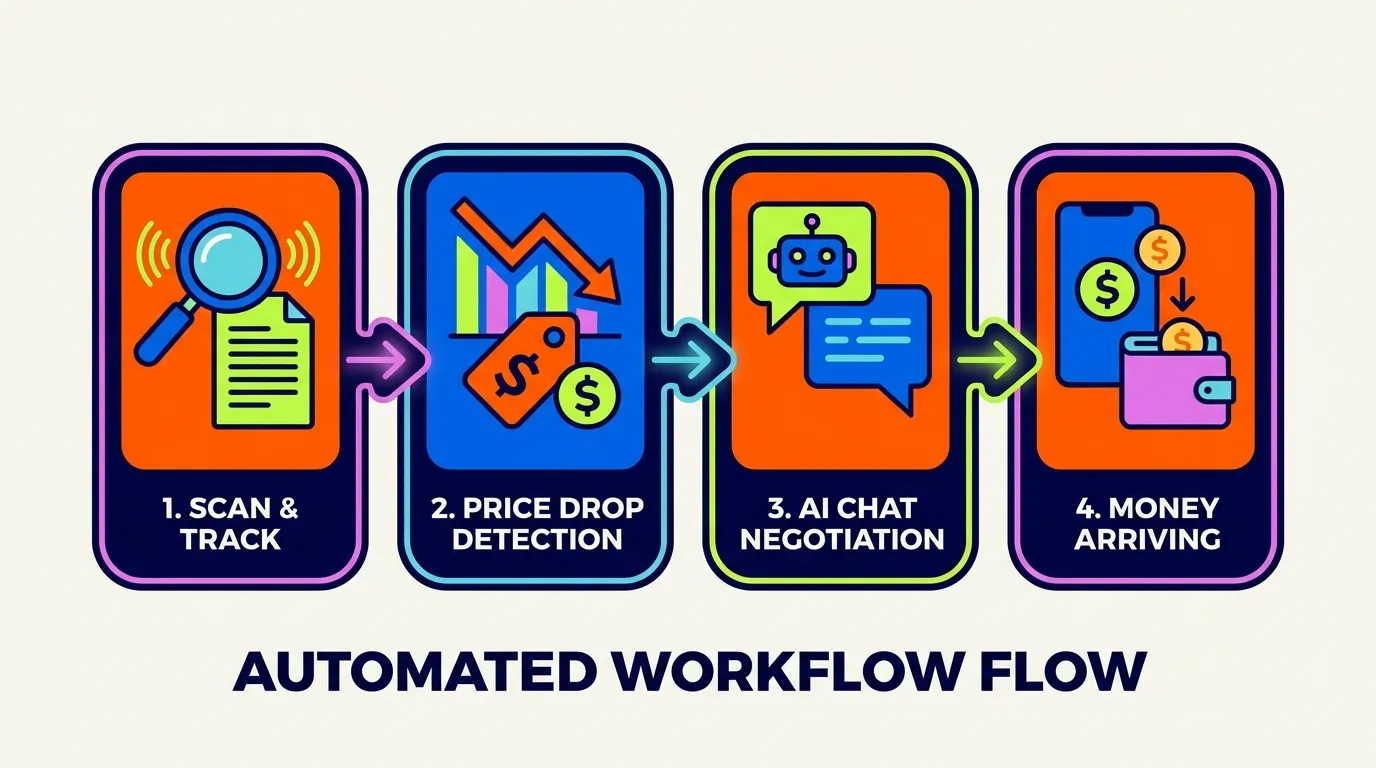
Step 3: AI-Powered Negotiation
This is where the magic happens. For each eligible price drop, TaskMonkey:
- Opens an Amazon customer service chat session
- Navigates the conversation using AI
- Politely explains the price drop situation
- Requests a courtesy credit or partial refund
- Handles follow-up questions from the representative
- Confirms when the credit is applied
The AI is trained on thousands of successful conversations. It knows exactly how to phrase requests in a way that gets results without being pushy or aggressive.
Step 4: Money Arrives in Your Account
When a credit is approved, it goes directly to your Amazon account balance. You'll see it appear as a gift card balance or promotional credit that can be used on future purchases.
TaskMonkey only charges when we successfully recover money for you—20% of what we get back. If we don't save you anything, you pay nothing.
Real User Stories: The "Set It and Forget It" Experience
The best way to understand automatic price adjustment is through real experiences. Here's what our users consistently report:
The "Laundry Test"
One of our favorite user stories: A customer clicked "Start Saving Now," then went to do laundry. By the time they came back 45 minutes later, TaskMonkey had processed 47 orders, found 5 price drops, and successfully negotiated $73 in credits—all without any intervention.
"I literally did nothing except click one button," they told us. "When I came back, there was money in my account. This is what 'automatic' should mean."
The Busy Parent Scenario
Another user shared: "As a parent of three, I have zero time to track prices or call customer service. I installed TaskMonkey during naptime, ran a scan, and forgot about it. A week later, I checked my Amazon balance and found $127 in credits I didn't even know I had."
The Skeptic Converted
From a user who was initially doubtful: "I've tried price tracking apps before and always gave up because they required too much maintenance. TaskMonkey is different. It actually does what it promises—no daily check-ins, no alerts to act on, no calls to make. Just savings that appear automatically."

Is Fully Automatic Safe? Addressing Common Concerns
When something sounds too good to be true, it's natural to be skeptical. Here are the most common questions we get about automatic price adjustment extensions:
Will I Get Banned from Amazon?
No. TaskMonkey operates within Amazon's policies by making polite requests to customer service—exactly what you would do manually. We're not exploiting any loopholes or using any hacking techniques. We're simply automating a legitimate consumer action.
Amazon has no policy against asking for price adjustments. Their customer service representatives are trained to handle these requests, and they regularly grant courtesy credits to customers who ask politely. TaskMonkey just makes the asking part effortless.
We've processed thousands of refund requests for our users without a single account issue.
Is This Hacking or Cheating?
Absolutely not. There's nothing illegitimate about what TaskMonkey does. Consider:
- You could contact Amazon yourself and make the same request
- Customer service representatives regularly grant these credits
- Amazon's own policies don't prohibit asking for price adjustments
- We use polite, respectful language in all interactions
TaskMonkey is simply automation of a normal customer service interaction. It's no different from using a scheduling tool to book appointments or an email filter to organize your inbox—just technology making life easier.
What About My Privacy?
TaskMonkey operates entirely within your browser. We don't store your Amazon password. We don't access your payment information. The extension only interacts with order history and customer service—the same data you'd access manually.
For more details on how we handle data, you can review our privacy policy.
What If a Request Gets Denied?
Not every request results in a credit—that's the reality of price adjustments. Amazon customer service has discretion, and factors like order timing, item category, and representative judgment all play a role.
When a request is denied, TaskMonkey simply moves on. There's no negative consequence to you, and we don't charge for unsuccessful requests. Our success rate is over 90%, which is significantly higher than most manual attempts.
How to Get Started with Automatic Price Adjustment
Ready to stop leaving money on the table? Here's how to set up TaskMonkey in under 2 minutes:
- Install the free Chrome extension from taskmonkey.ai
- Click "Start Saving Now" on your dashboard
- Let TaskMonkey scan your orders (takes about 30-60 seconds)
- Review the price drops found (optional—you can skip this)
- Go do something else while AI handles the rest
That's it. No configuration. No settings to tweak. No lists to maintain. Just click, wait, and collect your credits.
Frequently Asked Questions
What does an automatic price adjustment extension do?
An automatic price adjustment extension scans your past purchases, detects price drops, and requests refunds or credits from retailers on your behalf—without requiring any manual action from you.
Is it safe to use automatic refund extensions?
Yes, reputable extensions like TaskMonkey operate within Amazon's policies by making polite requests to customer service. They don't exploit loopholes or use any hacking techniques—they simply automate what you could do manually.
Will using an automatic price adjustment extension get my Amazon account banned?
No. TaskMonkey uses polite, customer-service-approved language to request courtesy credits. This is the same process you would use manually. Amazon has no policy against asking for price adjustments, and thousands of users have successfully used TaskMonkey without any account issues.
How much money can I get back with an automatic extension?
The average TaskMonkey user recovers over $200 per year. Your actual savings depend on your shopping frequency and how often prices drop after your purchases.
The Future of Smart Shopping
We're at an inflection point in how consumers interact with retail. Just as autopay simplified bill management and robo-advisors democratized investing, automatic price adjustment is transforming how we handle post-purchase savings.
The old way—manually tracking prices, monitoring email alerts, calling customer service—is becoming obsolete. The new way is set-and-forget automation that works silently in the background while you live your life.
According to McKinsey research, AI-powered shopping assistants are among the fastest-growing categories of consumer technology. Price adjustment automation is just the beginning.
Don't leave money on the table. Let automation handle the tedious work while you focus on what matters.