
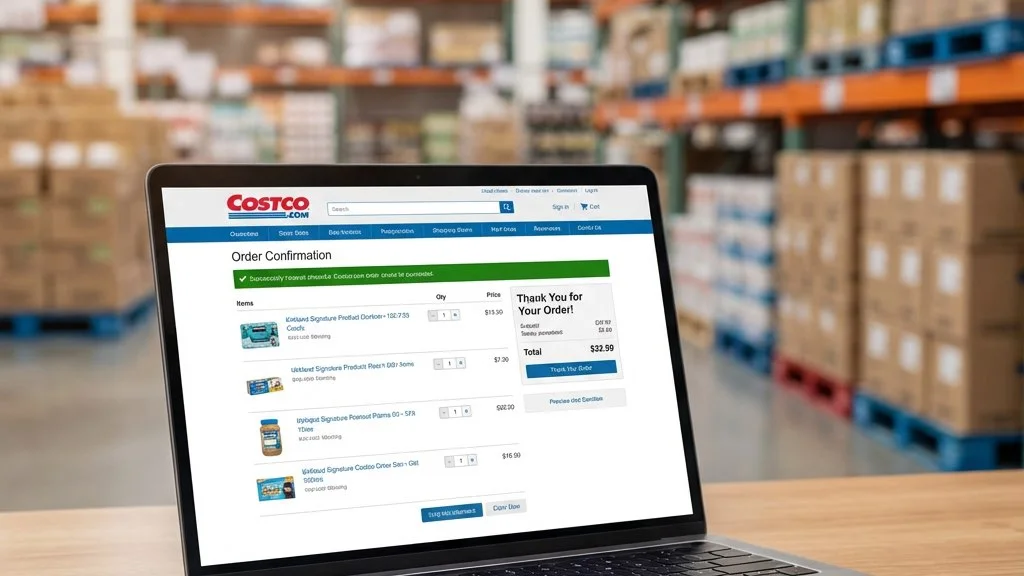
Bought something on Costco.com and the price dropped? You can get the difference refunded without leaving your couch. Here's exactly how to request a Costco price adjustment for online purchases—with three different methods to choose from.
Important: Online vs. In-Store Purchases
Before we dive in, there's a critical distinction you need to understand: Costco.com and warehouse purchases are handled completely separately.
If you bought something online at Costco.com, you cannot go to a physical warehouse to request a price adjustment. You must use one of the online methods described below. Similarly, Costco.com cannot process adjustments for items you bought in-store.
This also means you can't adjust an online price based on a lower warehouse price, or vice versa. Each channel operates independently.
Method 1: Online Price Match Request Form (Recommended)
The fastest and easiest method is using Costco's official online form. Here's how:
- Go to Costco.com and log in to your account
- Navigate to Customer Service (found in the top menu or footer)
- Click on "Request a Price Match" or "Price Adjustment"
- Select the order containing the item that dropped in price
- Enter the current (lower) price you see on Costco.com
- Submit the request
What Happens Next
Once submitted, Costco will review your request. If approved—and most legitimate requests are—the price difference will be credited to your original payment method within 5-10 business days.
You'll receive an email confirmation when the credit is processed.
Method 2: Costco Virtual Chat
If you prefer real-time assistance, Costco's virtual chat is a great option:
- Visit Costco.com or open the Costco app
- Go to Customer Service
- Click "Chat with Us" or "Virtual Assistant"
- Type something like "price adjustment" or "price match request"
- Follow the prompts or request to speak with a live agent
- Provide your order number and the new lower price
Tips for Chat Success
- Have your order number ready before starting the chat
- Know the exact current price (take a screenshot if possible)
- Be patient—wait times can vary during busy periods
- Save the chat transcript for your records
Method 3: Call Customer Service
The traditional phone call still works if you prefer speaking to a real person:
Costco Customer Service: 1-800-774-2678
- Call the number above
- Navigate through the menu to reach a customer service representative
- Explain that you'd like a price adjustment for a Costco.com order
- Provide your order number and membership number
- Tell them the new lower price
- Confirm the refund amount and processing time
Best Times to Call
- Early morning (8-9 AM PST) typically has shorter wait times
- Midweek (Tuesday-Thursday) is usually less busy than Monday or Friday
- Avoid calling during major sales events or the first few days of a new coupon book
How Long Do Refunds Take?
Once your price adjustment request is approved:
- Credit/Debit Cards: 5-10 business days to appear on your statement
- Costco Shop Cards: Typically faster, 3-5 business days
- PayPal: 5-10 business days
The refund goes back to your original payment method. You cannot request the difference be applied to a different card or receive it as store credit instead.
What Information You'll Need
Before contacting Costco, have this information ready:
- Order number – Found in your order confirmation email or Costco.com order history
- Membership number – On your Costco card or in the app
- Item name – The exact product that dropped in price
- Original price paid – From your order confirmation
- Current lower price – What the item is selling for now on Costco.com
- Purchase date – Must be within 30 days
Common Issues and Solutions
"I can't find the price adjustment form"
The form location sometimes changes. Try searching "price adjustment" in Costco.com's help section, or use the chat/phone methods instead.
"The item is now out of stock"
You may still be eligible if you can prove the price dropped before the item went out of stock. Screenshots with timestamps can help.
"I'm past the 30-day window"
Unfortunately, Costco strictly enforces the 30-day limit for online price adjustments. However, you might still be able to return the item and repurchase it at the lower price using Costco's standard return policy.
"The price dropped in-store but not online"
Costco.com and warehouse prices are independent. You cannot adjust your online purchase based on a warehouse price. The price must have dropped on Costco.com specifically.
Automate Your Price Tracking
Checking Costco.com every day for 30 days after each purchase is tedious. That's why smart shoppers use Task Monkey to automate the process:
- 24/7 price monitoring – We check Costco.com prices constantly
- Instant alerts – Get notified immediately when prices drop
- Deadline tracking – Never miss your 30-day window
- One-click access – Jump straight to the price adjustment form when needed
Frequently Asked Questions
Can I request a price adjustment through the Costco app?
Yes! You can use the virtual chat feature within the Costco app to request price adjustments. The process is similar to using chat on the website.
What if the price drops multiple times?
You can request adjustments for each price drop, as long as all drops occur within your 30-day window. There's no limit to the number of adjustments per item.
Do I need to provide screenshots as proof?
Usually not. Costco can see the current price in their system and verify your order history. However, having a screenshot can speed things up, especially if you're using chat or phone.
Will requesting too many price adjustments affect my membership?
Legitimate price adjustment requests will not negatively impact your membership. Costco only takes action against clear abuse of the policy.