
If you made a purchase at a Costco warehouse and the price dropped, getting your money back is surprisingly easy. Unlike online adjustments that take 5-10 days, in-store price adjustments are processed immediately. Here's exactly how to do it.
Step-by-Step: How to Get an In-Store Price Adjustment
- Return to the same Costco warehouse where you made your original purchase
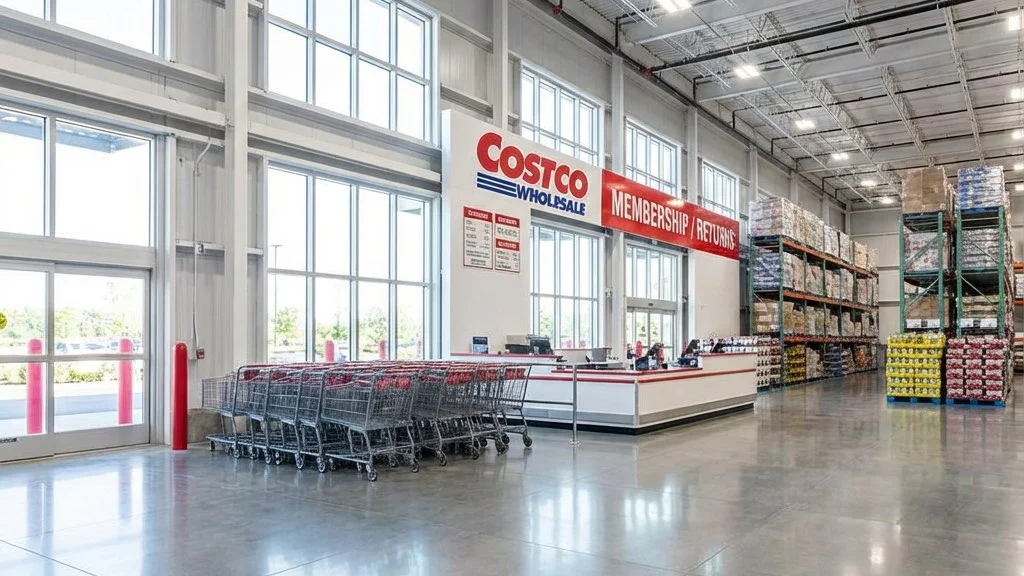
- Go to the Returns/Membership counter (usually located near the entrance)
- Tell the associate you'd like a price adjustment for a recent purchase
- Provide your membership card – they'll look up your purchase history
- Confirm the item and new price – the associate will verify the price drop
- Receive your refund on the spot – credited to your original payment method
The entire process typically takes less than 5 minutes, assuming there's no line.
Key Requirement: Same Warehouse Location
This is the most important rule for in-store price adjustments: you must visit the exact Costco location where you made your purchase.
Why? Because warehouse inventory and pricing can vary by location. The staff at one warehouse can only verify and adjust purchases made at their specific store.
What If I Can't Return to That Location?
If you're unable to visit the original warehouse (for example, you were traveling), here are your options:
- Call the original warehouse and explain your situation – some managers make exceptions
- Try the nearest location and politely ask if they can help – results vary
- Consider the return-and-rebuy option – returns can be processed at any Costco
No Receipt Needed
One of the best things about Costco's system: you don't need your receipt for a price adjustment.
Every purchase you make is automatically linked to your membership number. When you provide your membership card, the associate can instantly pull up:
- Every item you've purchased
- The date of each purchase
- The price you paid
- The payment method used
This makes the process fast and hassle-free. Just bring your membership card (physical card, digital card in the Costco app, or your phone number works too).
Immediate Refund: How It Works
Unlike online price adjustments that take 5-10 business days, in-store adjustments give you your money back immediately:
- Credit/Debit Card: Refund processed instantly (may take 1-2 days to appear on your statement)
- Costco Shop Card: Balance added back immediately
- Cash: Cash refund on the spot
- Check: May receive cash refund or check, depending on location policy
Tips for a Smooth Experience
1. Go During Off-Peak Hours
The Returns counter can get busy, especially on weekends. For the fastest service:
- Best times: Weekday mornings (10 AM - 12 PM) or early afternoons (2-4 PM)
- Avoid: Weekends, lunch hour, and the first/last hour of store operation
2. Know the Current Price
Before going, verify the current sale price. You can:
- Check the Costco app for current warehouse prices
- Look at the current coupon book
- Call the store ahead of time
3. Bring Your Membership Card
While staff can usually look you up by phone number, having your membership card (physical or digital in the app) speeds things up considerably.
4. Be Polite and Patient
Costco employees are generally very helpful with price adjustments. A friendly attitude goes a long way, especially if you're asking for any exceptions.
What If the Item Is Now on Display Discount?
Sometimes items go on clearance with additional markdowns for floor models or damaged packaging. In these cases:
- Regular markdowns: You're entitled to the price difference
- Display/open-box discounts: May not qualify, as these are condition-based discounts
- Clearance pricing: Usually eligible for adjustment if within 30 days
When in doubt, just ask. The worst they can say is no.
In-Store vs. Online: Key Differences
| Factor | In-Store | Online |
|---|---|---|
| Processing Time | Immediate | 5-10 business days |
| Location Required | Same warehouse only | Any device with internet |
| Receipt Needed | No | No |
| Price Source | Warehouse price only | Costco.com price only |
| Convenience | Requires trip to store | From anywhere |
The Challenge: How Do You Know When to Go Back?
The biggest obstacle to claiming in-store price adjustments isn't the process—it's knowing when prices drop in the first place.
Costco doesn't notify you when prices change. Without constant monitoring, you might never realize that TV you bought two weeks ago is now $75 cheaper.
Some shoppers try to track prices manually:
- Checking the coupon book every month
- Visiting the store weekly to scan prices
- Setting calendar reminders to check items
But let's be honest—who has time for that?
Let Task Monkey Do the Watching
Task Monkey automates the entire process:
- Price monitoring – We track Costco prices 24/7
- Instant alerts – Get notified the moment an item you bought drops in price
- 30-day countdown – We remind you before your window closes
- All the info you need – We tell you exactly how much you can save
When Task Monkey alerts you to a price drop, you know exactly when to head back to the warehouse and claim your refund.
Frequently Asked Questions
Can I get a price adjustment at a different Costco warehouse?
Officially, no. You need to visit the same warehouse where you made the purchase. However, some locations may make exceptions—it doesn't hurt to ask politely.
What if I paid with multiple payment methods?
The refund will be split proportionally across the same payment methods you used for the original purchase.
Can I get a price adjustment for items bought with a Costco Shop Card?
Yes. The difference will be credited back to a Shop Card or given as cash, depending on the location's policy.
What if I'm an authorized user, not the primary member?
Authorized users can request price adjustments for their own purchases. Bring your household card and ID.