
Last updated: January 2, 2026
TL;DR
- Costco doesn't show price history—unlike Amazon, there's no official way to see past prices.
- Best tool for online price history: CostcoSaleTracker and Costco Deals Tracker track years of price data.
- Best tool for in-store history: Warehouse Runner shows interactive price graphs for warehouse items.
- Price history helps you: Know if a "sale" is really a deal, predict future price drops, and time purchases.
This is part of our Costco Price Tracker Guide. Also see: How to Set Up Price Drop Alerts and Best Time to Buy at Costco.
Why Check Costco Price History?
Costco is known for great deals, but not every "sale" is actually a good price. Price history helps you:
1. Verify Sales Are Real
Some items show "sale" prices that are barely different from their regular price. With price history, you can see:
- What the item usually costs
- How much you're actually saving
- Whether this is the lowest price or just marketing
2. Predict Future Discounts
Price history reveals patterns. For example:
- TVs often drop in January and before the Super Bowl
- Patio furniture goes on clearance in late summer
- Electronics follow predictable sales cycles
3. Time Your Purchases
If you see an item regularly goes on sale every 3 months, you can:
- Wait for the next sale instead of paying full price
- Set a reminder to check back
- Set up a price drop alert
4. Support Price Adjustment Claims
If you bought an item and it dropped in price, price history provides documentation for your price adjustment request.
Tool 1: CostcoSaleTracker (Best for Online)
CostcoSaleTracker is a dedicated website that tracks Costco.com price history, sales, and discounts.
How to Use CostcoSaleTracker
- Visit costcosaletracker.com
- Search for a product by name or category
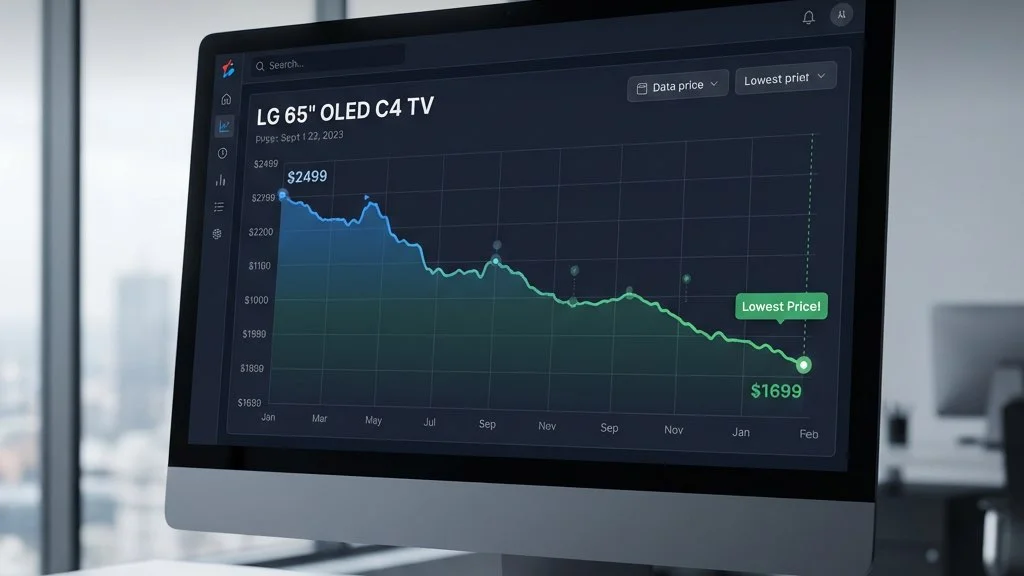
- View the price graph showing historical prices over time
- Check sale frequency—when does this item typically go on sale?
- Compare current price to historical lows
What You'll See
- Price trend charts: Visual representation of price changes
- Sale dates: When the item was previously discounted
- Discount amounts: How much was saved during past sales
- Current status: Whether the item is on sale now
Pricing
Free to use with basic features.
Tool 2: Costco Deals Tracker (Multi-Year Data)
Costco Deals Tracker focuses on long-term price trends.
Key Features
- Years of data: Track deals going back several years
- Category browsing: Explore deals by product category
- Bulk buying insights: Know when to really stock up
How to Use It
- Browse categories or search for specific products
- View historical deals for the item
- Identify patterns—does this item go on sale quarterly? Annually?
- Plan your purchase around expected sale dates
Tool 3: Warehouse Runner (In-Store Price History)
While most tools focus on Costco.com, Warehouse Runner tracks in-store warehouse prices.
Key Features
- Interactive price graphs: See how prices have changed over time
- Multi-warehouse comparison: Compare prices across 600+ locations
- Sale pattern identification: Spot when items typically go on sale
- Real-time updates: Current prices alongside historical data
How to Use It
- Download the iOS app or visit app.warehouserunner.com
- Search for a product
- View the price history chart
- Compare across warehouses—prices vary by location
Why In-Store History Matters
In-store prices often differ from online. Some insights you can gain:
- Which warehouse has the best prices in your area
- When manager markdowns typically happen
- Seasonal clearance timing for your location
Tool 4: Price Watch for Costco (iOS)
Price Watch for Costco offers price history alongside watchlist features.
Key Features
- Detailed price history charts: See fluctuations over time
- Watchlist integration: Track items and view their history
- Target price alerts: Get notified when price drops to your target
Pricing
- Free: Limited items, includes ads
- Premium: $1.99/year for unlimited items and ad-free
Tool 5: GlassIt Costco Price Tracker
GlassIt offers a browser extension approach to price history.
Key Features
- Price history display: See historical prices while browsing Costco.com
- Price drop alerts: Integrated notifications
- Privacy-focused: Claims not to use private data for tracking
Comparison: Price History Tools
| Tool | Best For | Data Range | Platform |
|---|---|---|---|
| CostcoSaleTracker | Online price trends | Months to years | Web |
| Costco Deals Tracker | Long-term patterns | Several years | Web |
| Warehouse Runner | In-store prices | Varies by item | iOS, Web |
| Price Watch | Personal tracking | Since you started | iOS |
| GlassIt | While browsing | Varies | Browser |
Manual Price History Tracking
If you prefer a DIY approach, here's how to track Costco prices manually:
Spreadsheet Method
- Create a spreadsheet with columns:
- Product name
- SKU/Item number
- Date checked
- Price (regular)
- Price (sale, if applicable)
- Notes (coupon book? Manager special?)
- Check weekly and update prices
- Add conditional formatting to highlight price drops
- Create charts to visualize trends
Receipt Archive Method
- Save all Costco receipts (digitally or physically)
- Note the date on each
- Reference past receipts when evaluating deals
While manual methods work, automated tools save significant time and catch more data points.
How to Read Costco Price History
Understanding price history data helps you make better decisions:
Identifying Regular Price
The "regular" price is where the item spends most of its time. Look for:
- The most common price point on the chart
- Long flat periods between sales
- The price it returns to after promotions
Spotting True Deals
A good deal shows:
- Significant drop from regular price (not just $1-2)
- Matches or beats historical lows
- Rare timing—doesn't happen every month
Recognizing Patterns
- Seasonal drops: Same time every year (holiday items, outdoor furniture)
- Quarterly sales: Regular promotions every 3-4 months
- One-time clearances: Sharp drops that don't repeat (discontinued items)
Price History by Category
Different product categories have different price patterns:
Electronics
- Best times: January, Black Friday, Super Bowl season
- Pattern: Prices drop as new models approach
- Tip: Track specific model numbers; prices don't apply to all versions
Appliances
- Best times: January, Memorial Day, Labor Day
- Pattern: Major sales around holiday weekends
- Tip: Costco's Concierge warranty can offset small price differences
Seasonal Items
- Pattern: Deepest discounts at end of season
- Example: Patio furniture cheapest in August-September
- Tip: Buy for next year at end-of-season clearance
Groceries & Consumables
- Pattern: Less predictable; watch monthly coupon books
- Tip: Stock up during Instant Savings events
Red Flags in Price History
Watch out for these warning signs:
Fake "Sales"
- Price was the same last month (not really a sale)
- "Original" price never actually existed
- Tiny discount marketed as major savings
Steadily Rising Prices
- Item getting more expensive over time
- Today's "sale" price is higher than last year's regular price
- Sign of inflation or supply issues
Discontinued Items
- Sudden deep discount that seems too good
- Often means item won't be restocked
- Check for asterisk (*) on price tag in-store
FAQ
Does Costco show price history on their website?
No, Costco.com does not display price history. You need third-party tools like CostcoSaleTracker or Warehouse Runner.
How far back does price history go?
It varies by tool. CostcoSaleTracker and Costco Deals Tracker have data going back years. Newer tools may have shorter histories.
Is Costco price history different from Amazon price history?
Yes. Amazon has more third-party tools (like CamelCamelCamel) with extensive history. Costco price tracking is less developed, with fewer tools available.
Can I check price history for in-store items?
Yes, Warehouse Runner tracks in-store prices at 600+ Costco locations. Most other tools only track Costco.com.
How accurate are price history tools?
Generally accurate for items they track, but they may not capture every price change, especially for in-store items or very brief sales.