
Hi there! After Task Monkey helps you talk to Amazon, the refund goes directly from Amazon to your account. Task Monkey never holds your money and doesn't store any of your Amazon login or payment info.
Depending on how Amazon sends the refund, it may show up in different places:
1. Promotional Credit
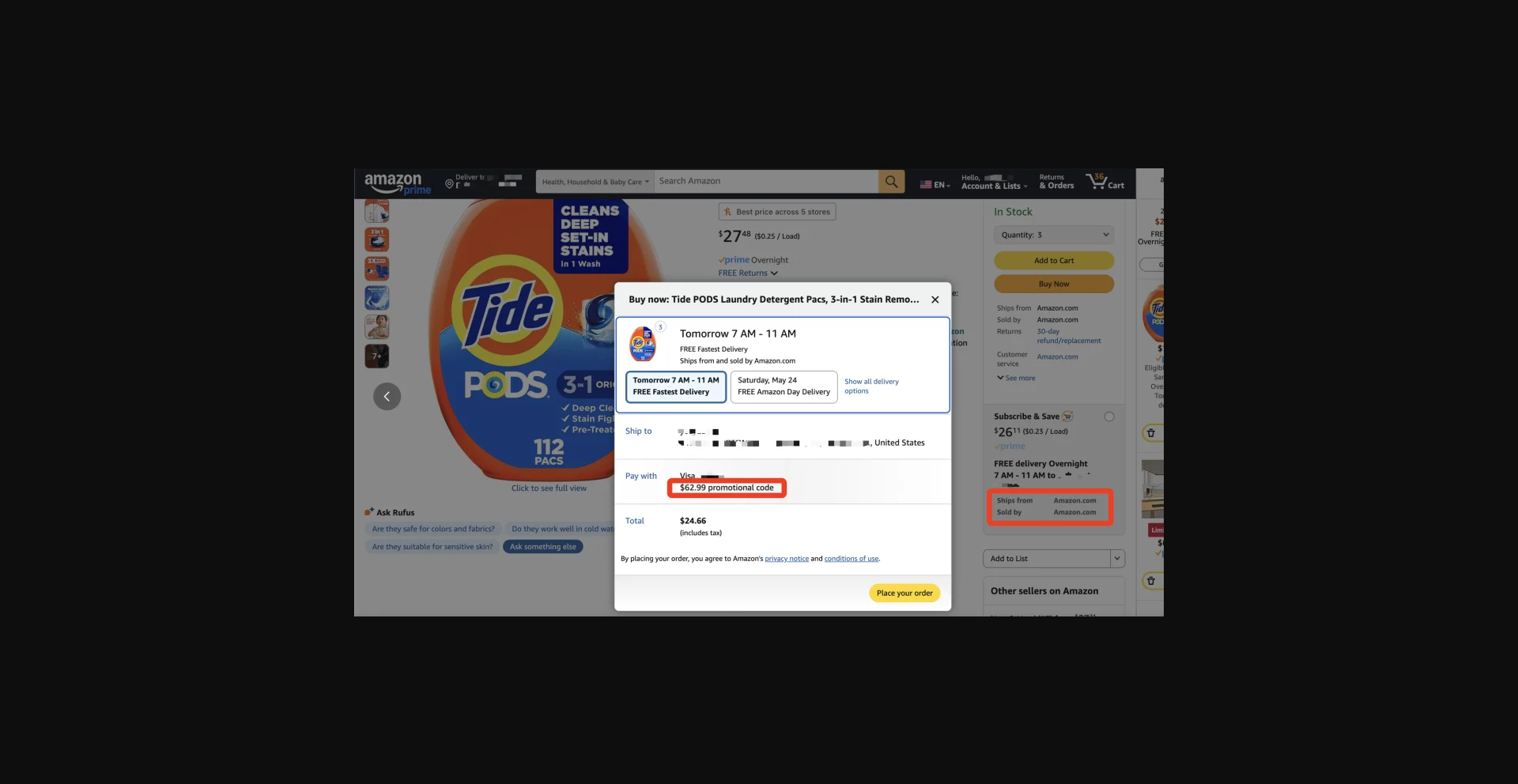
Sometimes Amazon gives the refund as a promotional credit/promo code. You won't see it in your wallet or payment settings. Instead, it will show up at checkout when you place your next Amazon shipped order. Look for a line that says "promotion code."
This usually appears within 24 hours after the chat.
Please note: Not all items can use promotional credits, but most Amazon-sold (shipped by Amazon) items do. The discount is automatically applied when you buy something that qualifies.
2. Gift Card Balance
If Amazon sends the refund as a gift card, it will go to your Gift Card Balance.
You can find this in Your Account → Your Payments → Gift Cards.
This usually shows up within 48 hours.
3. Refund to Your Original Payment Method
If Amazon sends the refund back to your credit or debit card, it can take a little longer.
You should see it on your bank or card statement in 3–5 business days.
Look for something like "Amazon Refund" on your statement.
Still not seeing it?
- Make sure you've waited the full time listed above.
- If it still hasn't shown up, open Task Monkey and tap "Dispute" to get your credits back.
Got more questions?
We're always here to help — just email us at mike@taskmonkey.ai.